

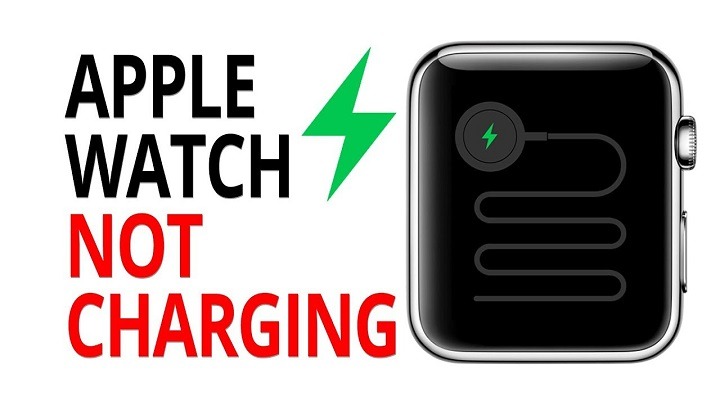
The Apple Watch has become an indispensable companion for many, offering a multitude of features that range from fitness tracking to receiving notifications and even making calls. However, like any electronic device, the Apple Watch is not immune to issues, and one common frustration users encounter is when their Apple Watch won’t charge. In this comprehensive guide, we’ll explore the potential reasons why your Apple Watch may not be charging and provide troubleshooting steps to help you resolve the issue and get your device back up and running.
Understanding the Charging Process
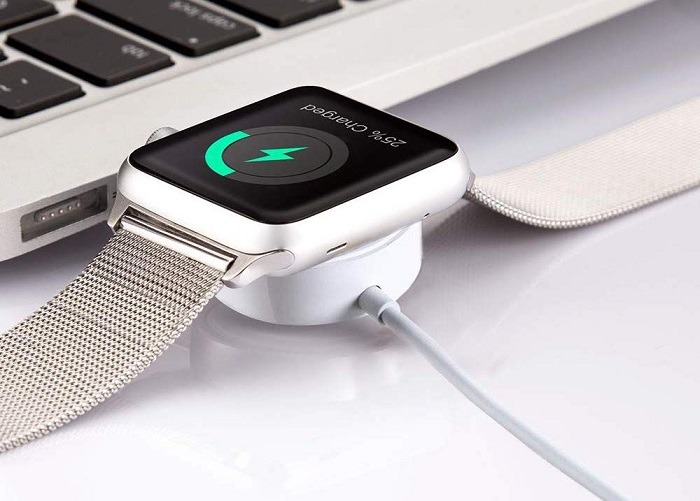
Before we delve into troubleshooting, it’s essential to understand the charging process of the Apple Watch. The Apple Watch uses a magnetic charging cable or a magnetic charging dock to charge its battery. When you place your Apple Watch on the charger, the magnets in the charger align with the magnets in the back of the watch, ensuring a secure connection for charging.
Common Reasons Why Your Apple Watch Won’t Charge
There are several potential reasons why your Apple Watch may not be charging properly. Some of the most common causes include:
- Faulty Charger: If the charging cable or charging dock is damaged or defective, it may prevent your Apple Watch from charging properly.
- Loose Connection: If the connection between the charging cable or charging dock and the back of the Apple Watch is loose or not properly aligned, it may result in charging issues.
- Software Glitch: Occasionally, software glitches or bugs may cause charging problems with the Apple Watch. Updating your watch’s software to the latest version may resolve these issues.
- Dirty Contacts: Dust, dirt, or debris on the back of the Apple Watch or the charging cable/dock may interfere with the charging connection, preventing the watch from charging effectively.
- Battery Drain: If your Apple Watch’s battery is completely drained, it may take some time for the device to display the charging indicator after you connect it to the charger.
Troubleshooting Steps
If your Apple Watch won’t charge, here are some troubleshooting steps you can take to try and resolve the issue:
- Check the Charging Cable/Dock: Inspect the charging cable or charging dock for any signs of damage, such as frayed wires or bent connectors. If the cable or dock appears damaged, try using a different charging cable or dock to see if that resolves the issue.
- Ensure Proper Alignment: Make sure that the charging cable or charging dock is properly aligned with the back of the Apple Watch. The magnets should snap into place, and you should see the charging indicator on the watch’s display.
- Clean the Contacts: Use a soft, lint-free cloth to gently clean the back of the Apple Watch and the charging cable/dock to remove any dust, dirt, or debris that may be interfering with the charging connection.
- Restart Your Apple Watch: Sometimes, a simple restart can resolve software glitches or temporary issues. Press and hold the side button until the power off slider appears, then drag the slider to turn off your Apple Watch. Once it’s off, press and hold the side button again until you see the Apple logo to restart your watch.
- Update Software: Check for any available software updates for your Apple Watch by going to the Watch app on your iPhone, selecting General > Software Update, and following the on-screen instructions to download and install any available updates.
- Reset Your Apple Watch: If none of the above steps resolve the issue, you may need to reset your Apple Watch to its factory settings. Keep in mind that this will erase all data and settings on your watch, so be sure to back up any important information before proceeding. To reset your Apple Watch, go to Settings > General > Reset > Erase All Content and Settings, then follow the on-screen prompts to complete the reset process.
Additional Tips
Here are some additional tips to help prevent charging issues with your Apple Watch in the future:
- Use Official Accessories: Always use official Apple charging cables and docks that are designed specifically for the Apple Watch to ensure compatibility and reliability.
- Avoid Extreme Temperatures: Exposure to extreme temperatures, both hot and cold, can affect the performance of your Apple Watch’s battery and charging capabilities. Store your watch and charging accessories in a cool, dry place when not in use.
- Remove Case or Cover: If you use a protective case or cover on your Apple Watch, make sure it doesn’t interfere with the charging connection. Remove the case or cover before charging your watch if necessary.
- Monitor Battery Health: Keep an eye on your Apple Watch’s battery health using the Battery Health feature in the Watch app on your iPhone. This can help you identify any issues with the battery and take appropriate action.
Related Post:
Mastering Your Apple Pencil: A Comprehensive Guide to Turning It On
Enhancing Your Apple Watch Experience with Keyboard Notifications: A Comprehensive Guide
Troubleshooting Guide: How to Fix Apple Pencil Not Connecting Issues
Encountering charging issues with your Apple Watch can be frustrating, but with the right troubleshooting steps, you can often resolve the problem and get your device back to full functionality. By following the tips and techniques outlined in this guide, you can diagnose the root cause of the charging issue and take appropriate action to address it. Whether it’s checking the charging cable, cleaning the contacts, or updating the software, there are several steps you can take to troubleshoot and resolve charging problems with your Apple Watch. If all else fails, contact Apple Support or visit an Apple Store for further assistance. With a little patience and persistence, you’ll have your Apple Watch charging and ready to go in no time.