

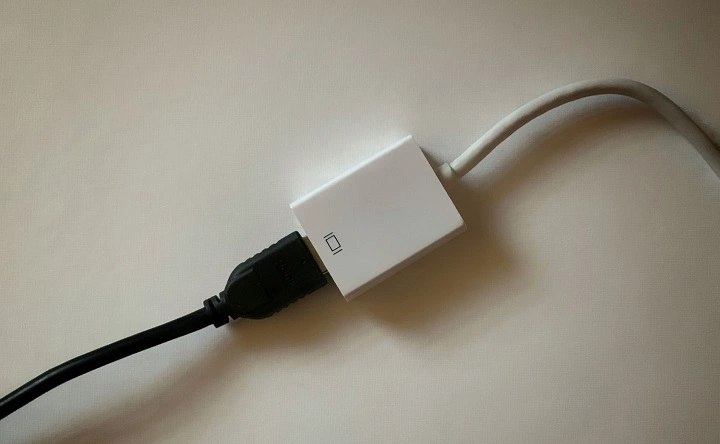
In today’s digital age, connectivity is king. Whether you’re presenting in a boardroom, streaming your favorite content at home, or editing videos on the go, having the right tools to connect your MacBook Air to external displays is crucial. With the growing demand for versatility and functionality, HDMI adapters have become essential accessories for MacBook Air users. In this comprehensive guide, we’ll explore the importance of HDMI adapters for MacBook Air and delve into the best options available on the market.
Understanding the Need for HDMI Adapters
The MacBook Air is renowned for its sleek design and portability. However, its minimalist approach comes with trade-offs, including a limited number of ports. While the latest MacBook Air models feature Thunderbolt 3 (USB-C) ports, they lack traditional HDMI ports commonly found on other laptops and desktop computers.
This limitation can be a hindrance for users who rely on external displays for work or entertainment purposes. Whether you’re connecting to a projector for a presentation or hooking up to a high-resolution monitor for graphic design work, having HDMI connectivity is essential for maximizing productivity and enjoyment.
The Versatility of HDMI Adapters
HDMI adapters serve as versatile solutions for MacBook Air users seeking to connect to external displays, projectors, TVs, and other HDMI-enabled devices. These adapters come in various forms, offering different connectivity options to suit diverse needs. Some common types of HDMI adapters for MacBook Air include:
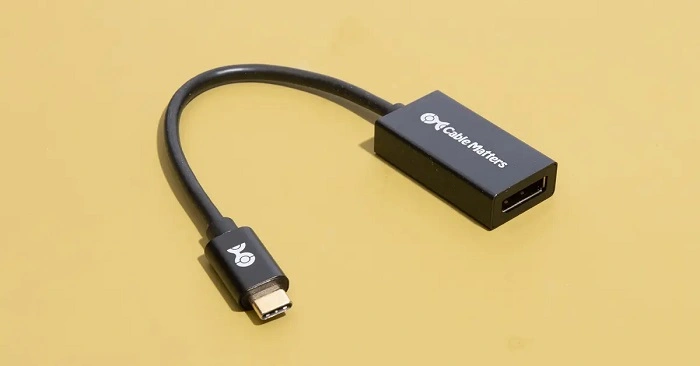
- USB-C to HDMI Adapters: These adapters allow you to connect your MacBook Air’s USB-C or Thunderbolt 3 port to an HDMI display or projector. They typically feature a compact design and plug-and-play functionality, making them convenient for travel and on-the-go use.
- Multiport Adapters: Multiport adapters combine HDMI connectivity with additional ports, such as USB-A, USB-C, Ethernet, and SD card slots. These adapters offer enhanced versatility, allowing you to connect multiple peripherals simultaneously while still enjoying HDMI output.
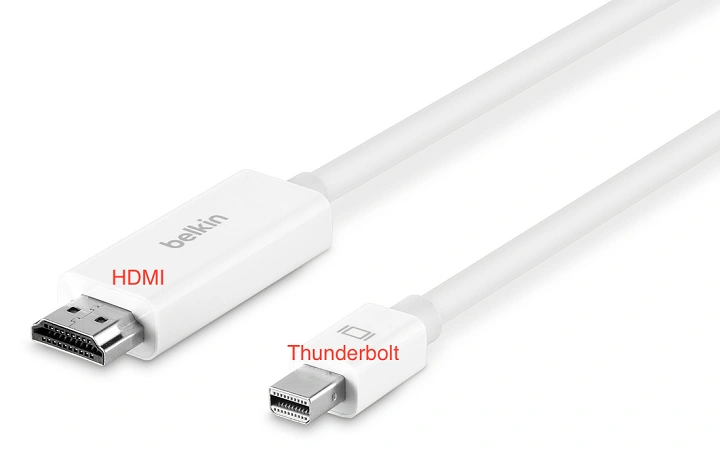
- Mini DisplayPort to HDMI Adapters: Some older MacBook Air models may feature a Mini DisplayPort instead of USB-C ports. In such cases, Mini DisplayPort to HDMI adapters provide a seamless solution for connecting to HDMI displays and projectors.
- Thunderbolt 3 Docking Stations: For users who require extensive connectivity options, Thunderbolt 3 docking stations offer a comprehensive solution. These docking stations feature multiple ports, including HDMI, USB-A, USB-C, Ethernet, and audio jacks, effectively transforming your MacBook Air into a powerful workstation.
Factors to Consider When Choosing an HDMI Adapter
With a plethora of HDMI adapters available on the market, selecting the right one for your MacBook Air can be daunting. Here are some key factors to consider when making your decision:
- Compatibility: Ensure that the HDMI adapter is compatible with your MacBook Air model and operating system. Check the specifications to verify compatibility with macOS versions and specific MacBook Air configurations.
- Portability: If you frequently travel or work on the go, opt for a compact and lightweight HDMI adapter that won’t weigh you down. Look for adapters with a slim profile and durable construction for added convenience and durability.
- Resolution Support: Consider the maximum resolution supported by the HDMI adapter. If you work with high-definition content or ultra-high-resolution displays, choose an adapter capable of delivering crisp and clear visuals without compromising quality.
- Additional Features: Evaluate any additional features offered by the HDMI adapter, such as passthrough charging, USB hub functionality, and Ethernet connectivity. These features can enhance the overall utility and versatility of the adapter, allowing you to streamline your workflow and connectivity needs.
- Brand Reputation and Reviews: Research the brand reputation and read user reviews to gauge the reliability and performance of the HDMI adapter. Opt for reputable brands known for producing high-quality accessories with excellent customer support.
Top HDMI Adapters for MacBook Air
Now that we’ve covered the importance of HDMI adapters and key considerations for choosing the right one, let’s explore some top-rated options available on the market:
- Apple USB-C Digital AV Multiport Adapter: Manufactured by Apple, this multiport adapter features HDMI output, USB-A port, and USB-C charging passthrough. It offers seamless connectivity and is designed to complement the sleek aesthetics of MacBook Air.
- Anker USB-C to HDMI Adapter: Anker is renowned for producing reliable accessories, and their USB-C to HDMI adapter is no exception. With support for 4K resolution and plug-and-play functionality, this adapter delivers exceptional performance at an affordable price point.
- HyperDrive USB-C Hub: The HyperDrive USB-C Hub combines HDMI output with a plethora of additional ports, including USB-A, USB-C with Power Delivery, SD card slot, and microSD card slot. It’s perfect for MacBook Air users who require extensive connectivity options in a single compact hub.
- Cable Matters Mini DisplayPort to HDMI Adapter: If you’re using an older MacBook Air model with a Mini DisplayPort, the Cable Matters adapter offers a simple and reliable solution for connecting to HDMI displays and projectors. It supports resolutions up to 4K and features a durable aluminum housing for enhanced durability.
- CalDigit TS3 Plus Thunderbolt 3 Dock: For users seeking the ultimate docking solution, the CalDigit TS3 Plus Thunderbolt 3 Dock offers unparalleled connectivity and performance. With multiple USB-A, USB-C, DisplayPort, and Ethernet ports, as well as HDMI output, this docking station transforms your MacBook Air into a versatile workstation.
HDMI adapters are indispensable accessories for MacBook Air users seeking to unlock limitless connectivity and enhance their productivity and multimedia experience. Whether you’re presenting in a professional setting, enjoying multimedia content at home, or collaborating with colleagues, the right HDMI adapter can make all the difference. By considering factors such as compatibility, portability, resolution support, and additional features, you can select the perfect adapter to complement your MacBook Air and meet your connectivity needs with ease. Invest in a high-quality HDMI adapter today and experience the convenience and versatility it brings to your MacBook Air setup.