


Xeno Executor is one of the most popular Roblox exploit tools used for scripting and executing custom code within Roblox games. It is primarily known for its ability to bypass the Roblox security system and enable users to run Lua scripts, which can give them unfair advantages within games. This article explores everything you need to know about Xeno Executor, from its features and installation to the risks and ethical considerations involved.
What is Xeno Executor?
Xeno Executor is a third-party software designed to allow Roblox players to run custom Lua scripts within the Roblox platform. Lua is the scripting language used by Roblox developers to create game mechanics and interactive elements within the game. Xeno Executor enables players to inject their own scripts into the Roblox client, which can alter game behavior, unlock features, or manipulate game systems.
Xeno Executor is mainly used by Roblox enthusiasts looking to enhance their gameplay experience by exploiting bugs, glitches, or simply by gaining an advantage over other players. However, using Xeno Executor can be controversial and comes with several legal and ethical issues.
Features of Xeno Executor
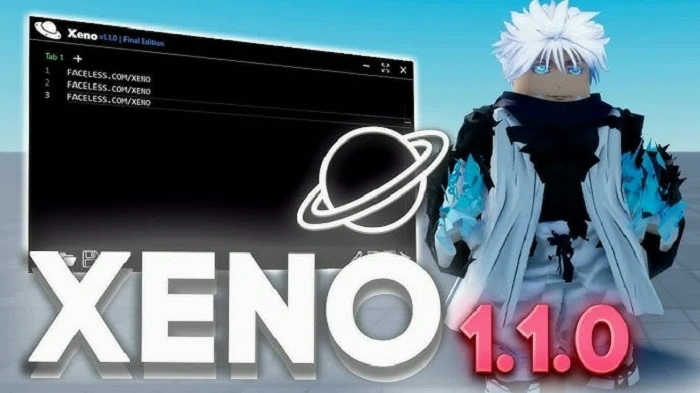
Xeno Executor comes with several notable features that make it popular among Roblox players. Here are some of the most important ones:
Easy-to-Use Interface
The user interface of Xeno Executor is designed to be simple and intuitive, even for beginners. Once downloaded and installed, players can easily access the Lua scripting environment and begin executing scripts with just a few clicks.
High Execution Speed
Xeno Executor is known for its fast execution speed, which is essential when using scripts that require quick responses. This feature is crucial for players looking to gain an advantage in fast-paced games.
Script Compatibility
Xeno Executor supports a wide range of Lua scripts, including those that can modify in-game mechanics, spawn objects, and enable cheats. It also supports both local and server-side scripts.
Customizable Settings
Users can customize Xeno Executor’s settings to suit their needs. This includes adjusting the script execution speed, toggling script features on and off, and even setting up hotkeys for easy access.
Frequent Updates
The development team behind Xeno Executor regularly updates the software to ensure it stays compatible with the latest Roblox updates and security patches. This keeps the tool effective and functional over time.
How to Install Xeno Executor
Installing Xeno Executor is relatively straightforward, but it requires caution to avoid downloading malicious files from unofficial sources. Follow these steps for a safe installation:
Step 1: Download the Installer
First, ensure you are downloading the Xeno Executor from a reputable website. Official sources or trusted forums are the best places to find the installer.
Step 2: Disable Antivirus Software
Since Roblox and other gaming platforms often detect exploit tools like Xeno Executor as threats, it’s important to disable your antivirus temporarily to prevent it from blocking the installation process.
Step 3: Run the Installer
Once the installer is downloaded, run it on your PC. Follow the on-screen instructions to complete the installation process. The installation process may take a few minutes depending on your system.
Step 4: Open Xeno Executor
After installation, launch Xeno Executor. The main interface should appear, where you can start loading and executing Lua scripts.
Step 5: Inject Scripts
Once the tool is up and running, you can begin injecting Lua scripts into Roblox games. Choose the script you want to run, load it into Xeno Executor, and execute it in the game.
Ethical and Legal Considerations
While Xeno Executor can enhance gameplay and allow users to explore new features, using it comes with serious ethical and legal implications.
Violation of Roblox Terms of Service
Roblox has a strict policy against exploiting and cheating in games. Using tools like Xeno Executor to run scripts that alter gameplay can result in account bans or permanent suspensions. Roblox regularly updates its security measures to detect and prevent the use of exploits like Xeno Executor.
Unfair Advantage
One of the main ethical concerns of using Xeno Executor is that it provides an unfair advantage over other players. This can ruin the experience for legitimate players who play within the rules, making the game less enjoyable for everyone involved.
Security Risks
Downloading and using third-party exploit tools always come with risks. Malicious versions of Xeno Executor could contain viruses or malware that can damage your computer or steal sensitive data. Always make sure to download software from trusted sources.
Impact on Developers
Exploiting Roblox games with tools like Xeno Executor can undermine the efforts of game developers. These developers work hard to create balanced and fair experiences for all players. Cheating using an executor disrupts this balance and can lead to frustration within the community.
Alternatives to Xeno Executor
If you’re looking for ways to enhance your Roblox gameplay experience without violating terms or engaging in unethical behavior, here are some alternatives to using Xeno Executor:
Roblox Studio
Roblox Studio is the official tool provided by Roblox for creating and scripting your own games. With Roblox Studio, you can create custom experiences, modify game elements, and share your creations with the Roblox community.
Game Passes and In-Game Purchases
Instead of using exploits to gain an advantage, consider purchasing game passes or in-game items that enhance your gameplay. Many Roblox games offer ways to improve your experience legally through microtransactions.
Community Forums and Tutorials
The Roblox community is vast and full of creative individuals. Instead of relying on exploits, engage with community forums, watch tutorials, and learn from others to improve your skills and knowledge of Roblox games.
How to Stay Safe While Using Roblox
If you still choose to use Xeno Executor or other similar tools, it’s important to take safety precautions:
Use a Virtual Machine
To protect your main operating system from potential risks, consider running Xeno Executor in a virtual machine. This isolates the software from your personal files and reduces the chance of infection.
Download from Trusted Sources
Always download Xeno Executor from verified websites or trusted forums to avoid malicious versions of the tool.
Be Aware of Roblox Updates
Roblox regularly updates its security measures to detect exploits like Xeno Executor. Keep your tool updated and check for any patch notes or warnings from the Roblox team regarding potential issues with exploit tools.
FAQs
What is Xeno Executor used for?
Xeno Executor is used to execute custom Lua scripts in Roblox games, allowing users to modify game mechanics or gain unfair advantages.
Is Xeno Executor legal?
Using Xeno Executor to cheat or exploit in Roblox games is against Roblox’s terms of service and can result in account bans.
Can Xeno Executor get you banned from Roblox?
Yes, using Xeno Executor to cheat or exploit can lead to temporary or permanent bans from Roblox.
How can I avoid risks when using Xeno Executor?
To avoid risks, always download Xeno Executor from trusted sources, use a virtual machine for extra protection, and stay updated on Roblox’s security measures.
What are the alternatives to Xeno Executor?
Alternatives include Roblox Studio, in-game purchases, game passes, and engaging with the community for tips and tutorials.
Xeno Executor is a powerful tool for running custom Lua scripts within Roblox, offering a range of features for experienced users. However, it is important to consider the ethical and legal consequences before using such tools. While Xeno Executor can enhance gameplay, it can also lead to unfair advantages and potential bans. It is essential to be aware of the risks and make informed decisions about whether or not to use exploit tools in Roblox.