

Apple Pay has revolutionized mobile payments, offering a fast and secure way to make purchases using your iPhone, iPad, Apple Watch, and Mac. But what if you’re an Android user? Is there any way to use Apple Pay on Android devices? While Apple Pay is designed primarily for Apple products, there are some options and workarounds that Android users may find helpful. In this post, we’ll explore the possibilities and limitations of using Apple Pay on Android devices, as well as alternatives you can use to make secure mobile payments.
What is Apple Pay?
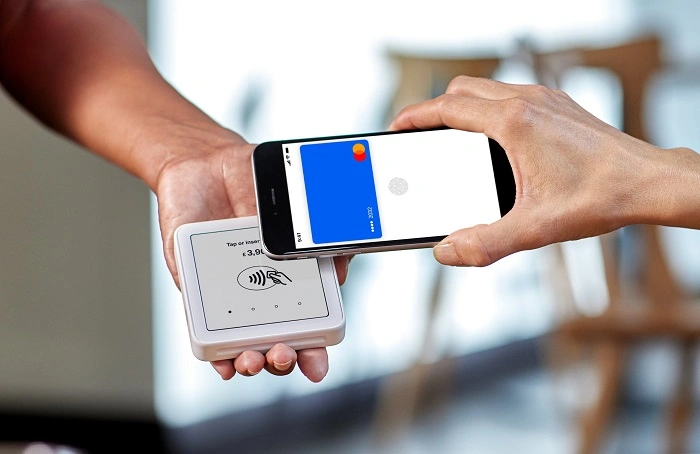
Apple Pay is a mobile payment service developed by Apple that allows users to make secure purchases in-person, online, and in-app without the need for physical credit or debit cards. Using Apple’s secure payment system, users can store their card information on their devices and make transactions through NFC (Near Field Communication) technology, which allows users to tap their devices to make payments.
Can You Use Apple Pay on Android?
Unfortunately, Apple Pay is not compatible with Android devices. Apple Pay is designed to work exclusively with Apple products, including iPhones, iPads, Apple Watches, and Macs, as part of Apple’s ecosystem. Because Android operates on a different system architecture and uses Google’s own mobile payment service, Google Pay, Apple Pay does not support Android devices.
Why Doesn’t Apple Pay Work on Android?
There are a few key reasons why Apple Pay doesn’t work on Android devices:
- Ecosystem Lock-In: Apple Pay is a service built to work seamlessly within Apple’s ecosystem. Just like iCloud, Apple Music, and other Apple services, Apple Pay is meant to work specifically with Apple hardware and software, offering a secure and cohesive experience across its products.
- Different Technology: Apple Pay uses NFC technology, but so does Google Pay and other mobile wallets on Android. Apple’s payment service relies on unique authentication protocols and encryption that are tied to Apple’s devices. This prevents Apple Pay from being compatible with Android.
- Competition with Google Pay: Google Pay is Android’s answer to mobile payments and competes directly with Apple Pay. Naturally, Apple would not allow Apple Pay to work on Android devices when Google has its proprietary mobile payment service.
Alternatives to Apple Pay on Android
While Apple Pay isn’t available on Android, Android users have several excellent alternatives for making mobile payments. Here are the top options:
1. Google Pay
Google Pay is the most direct alternative to Apple Pay on Android devices. Google Pay allows you to store credit cards, debit cards, loyalty cards, and even transit passes on your Android phone, enabling secure payments through NFC technology.
How to Use Google Pay:
- Install Google Pay: Download the Google Pay app from the Google Play Store.
- Add Your Cards: Add your credit or debit card details to the app, or link your bank account.
- Tap to Pay: At participating stores, open the Google Pay app, unlock your phone, and tap your device to make a payment.
Google Pay is accepted at most locations that support contactless payments, making it a seamless solution for Android users.
2. Samsung Pay
Samsung Pay is another robust mobile payment option for Android users, particularly for those with Samsung devices. Samsung Pay is unique because it supports both NFC (Near Field Communication) and MST (Magnetic Secure Transmission) technology, meaning it works at both traditional and contactless payment terminals.
How to Use Samsung Pay:
- Download the Samsung Pay App: Install Samsung Pay from the Samsung Galaxy Store or Google Play.
- Set Up Payment Methods: Link your credit or debit card to your Samsung account.
- Tap to Pay: At participating retailers, hold your Samsung phone near the payment terminal to make a transaction.
Samsung Pay is known for its broad acceptance and its compatibility with a wide range of card terminals, including older ones that may not accept other digital wallets.
3. PayPal
For those who want a more universally accepted payment solution, PayPal is a reliable alternative. While PayPal doesn’t use NFC technology like Google Pay or Samsung Pay, it allows users to make secure online and in-person payments through QR codes or by linking it to a debit/credit card.
How to Use PayPal for Mobile Payments:
- Install the PayPal App: Download the PayPal app from the Google Play Store.
- Link Your Cards or Bank Accounts: Add your preferred payment methods.
- Scan QR Codes: When shopping in-store, scan the merchant’s PayPal QR code to make a payment.
PayPal is accepted in millions of online stores and offers in-store payment capabilities with supported retailers. It is widely trusted and secure for mobile payments.
4. Other Mobile Payment Options
- Amazon Pay: Amazon’s mobile payment solution lets you use your Amazon account for purchases in supported apps and websites.
- Venmo: Owned by PayPal, Venmo is a popular choice for peer-to-peer transactions and payments, particularly among younger users.
- Cash App: Cash App offers mobile payment features for both personal and business transactions, including sending money to friends or purchasing products and services.
How to Choose the Best Mobile Payment Service for Android
Choosing the best mobile payment service for your Android device depends on several factors, including your preferences, needs, and the types of payments you frequently make. Here’s what to consider:
- Device Compatibility: If you’re using a Samsung phone, Samsung Pay might be your best choice due to its MST support. Otherwise, Google Pay will work with most Android devices.
- Retailer Acceptance: Check which payment systems are accepted by your favorite stores. Google Pay is widely accepted globally, but some stores may support Samsung Pay or PayPal more frequently.
- Security Features: Look for services that offer strong security, such as two-factor authentication and tokenization, to keep your data safe.
While Apple Pay isn’t available for Android devices, there are plenty of alternatives that offer secure, seamless mobile payment experiences. Google Pay is the most obvious choice for Android users, but other options like Samsung Pay and PayPal provide strong alternatives with unique features and compatibility.
Switching to one of these services ensures that Android users can still enjoy the benefits of mobile payments, making shopping and transactions faster and more convenient.