

If you’re an Android user looking to use contactless payments, you might be wondering can Android use Apple Pay? With Apple Pay gaining popularity for its fast, secure, and convenient payments, it’s understandable why Android users would want access to similar features. However, Apple Pay was developed specifically for Apple devices—and that means there are limitations.
In this post, we’ll explore whether Apple Pay works on Android, what alternatives are available, and how Android users can enjoy similar functionality.
What Is Apple Pay and How Does It Work?
Apple Pay is a digital wallet and mobile payment service designed by Apple Inc. It allows users to make secure transactions in-store, online, and in apps using devices like iPhone, Apple Watch, iPad, and Mac.
Key features include:
- Tap-to-pay using NFC (Near Field Communication)
- Biometric security via Face ID or Touch ID
- Integration with Apple Wallet for storing cards, tickets, and passes
- Support for loyalty programs and transit systems
Apple Pay works exclusively within the Apple ecosystem, relying on Apple hardware, Apple ID, and iOS software for its secure functionality.
Can Android Use Apple Pay? The Short Answer
No, Android devices cannot use Apple Pay. The service is exclusive to Apple’s ecosystem and is not compatible with Android operating systems or hardware. This means you cannot install or access Apple Pay on any Android phone or tablet.
Reasons for incompatibility:
- Apple Pay requires iOS or iPadOS
- Authentication depends on Apple’s Face ID/Touch ID
- The Wallet app is only available on Apple devices
- Apple does not allow third-party manufacturers to use Apple Pay
So if you’re on Android, you’ll need to use one of the several alternatives available for mobile payments.
Why Apple Pay Doesn’t Work on Android Devices
Apple Pay is not just an app—it’s a tightly integrated platform built into Apple’s secure environment. Unlike downloadable apps, it relies on a combination of:
- Apple’s Secure Enclave (chip-based encryption)
- The Wallet app
- Apple ID authorization
- Apple’s exclusive use of NFC hardware
Android devices, made by various manufacturers, do not have access to these proprietary Apple technologies. That’s why you can’t use Apple Pay on Samsung, Google Pixel, OnePlus, or any other Android phones.
Apple Pay Alternatives for Android Users
While Android users can’t use Apple Pay, the good news is that there are several comparable options that provide similar convenience and security.
1. Google Pay
Google Pay is Android’s default mobile wallet, available on most Android phones and wearables.
Features include:
- Tap-to-pay with NFC
- Store cards, passes, and transit tickets
- Integrated with Gmail for auto-receipt storage
- Works online, in-store, and in apps
2. Samsung Wallet
For Samsung Galaxy users, Samsung Wallet (previously Samsung Pay) is an excellent Apple Pay alternative.
Advantages:
- MST support (works with magnetic stripe terminals)
- Secure transactions with Samsung Knox
- Store boarding passes, IDs, and payment cards
3. PayPal
PayPal offers a mobile wallet and tap-to-pay experience with Android devices when linked with NFC-capable terminals.
Useful for:
- Online payments
- QR code in-store payments
- Bank transfers and digital receipts
4. Venmo, Cash App, and Other Apps
Apps like Venmo and Cash App allow Android users to send and receive money quickly. While not traditional mobile wallets, they’re excellent for peer-to-peer transactions.
Comparison Table: Apple Pay vs Android Payment Apps
| Feature | Apple Pay | Google Pay | Samsung Wallet | PayPal |
| Device Compatibility | Apple only | Android only | Samsung only | Cross-platform |
| NFC Support | Yes | Yes | Yes | Yes |
| In-App Payments | Yes | Yes | Limited | Yes |
| Peer-to-Peer Payments | Yes | Yes | No | Yes |
| Loyalty Card Storage | Yes | Yes | Yes | No |
How to Set Up Mobile Payments on Android
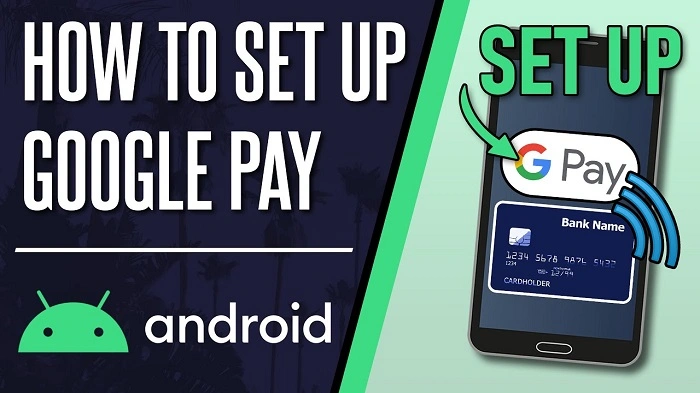
Even though you can’t use Apple Pay on Android, setting up a mobile payment system is simple.
Using Google Pay:
- Download Google Wallet from the Play Store
- Open the app and sign in with your Google account
- Tap “Add a card” to enter debit or credit card info
- Follow prompts to verify the card with your bank
- Use your phone at any contactless payment terminal
Using Samsung Wallet:
- Open the pre-installed Samsung Wallet app
- Log in with your Samsung account
- Add your payment card and verify
- Access the wallet from the lock screen or quick menu
Now you’re ready to tap and pay securely—without needing Apple Pay.
FAQs About Can Android Use Apple Pay
Can I download Apple Pay on Android?
No, Apple Pay is not available for download on Android. It only works on Apple-branded devices like iPhone and Apple Watch.
Is there an Apple Pay app for Android users?
No, there is no official Apple Pay app or workaround that enables Apple Pay on Android smartphones.
Can I use Apple Pay on Chrome or Android browsers?
No, Apple Pay cannot be used within Android browsers. It requires Safari and iOS/Mac hardware to complete transactions.
What’s the best Apple Pay alternative for Android?
Google Pay is the best and most widely accepted Apple Pay alternative for Android users.
Can I still send money to an Apple Pay user from Android?
Yes, you can send money via third-party apps like PayPal or Venmo, even if the recipient uses Apple Pay on their end.
So, can Android use Apple Pay? Unfortunately, the answer is no. Apple Pay is restricted to Apple devices and isn’t compatible with Android hardware or software. However, Android users have plenty of excellent alternatives like Google Pay and Samsung Wallet that offer the same fast, secure, and contactless experience.