

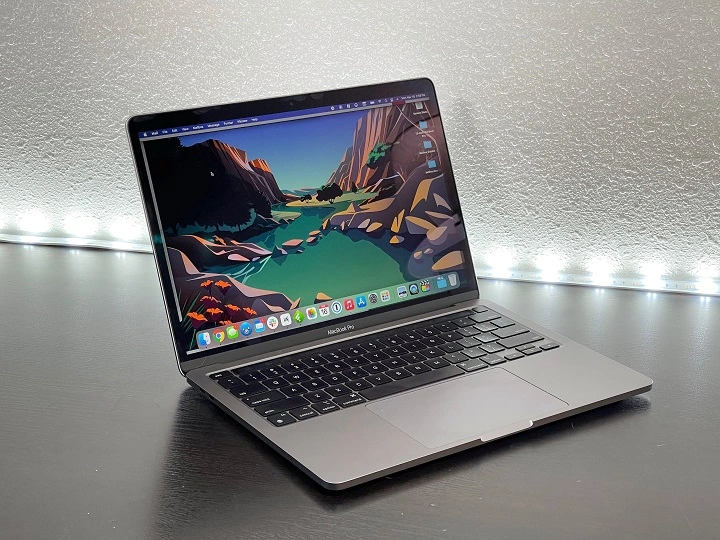
The MacBook Pro M1 2020 marked a significant leap in Apple’s laptop technology, featuring the company’s first-ever Apple Silicon chip, the M1. This move away from Intel processors to a custom-designed ARM architecture was a game changer for MacBooks, offering improvements in performance, battery life, and efficiency. Whether you’re a professional creative, a student, or a casual user, the MacBook Pro M1 2020 has something to offer. In this blog post, we’ll take a detailed look at the MacBook Pro M1, highlighting its features, performance, and how it compares to previous models.
Key Features of the MacBook Pro M1 2020
Apple’s Custom M1 Chip
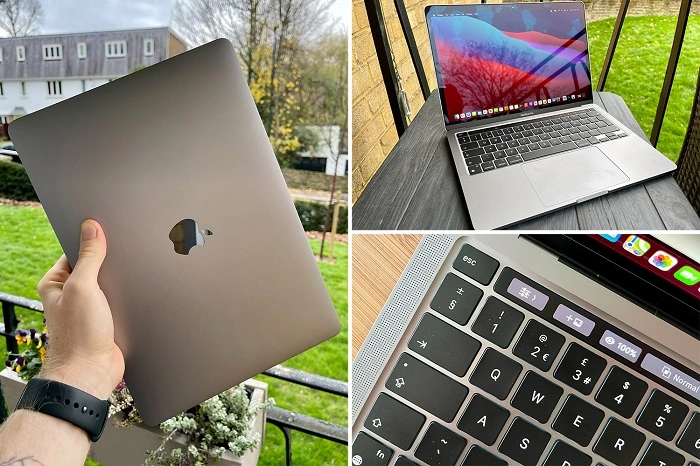
One of the standout features of the MacBook Pro M1 2020 is its Apple M1 chip. Designed specifically by Apple, the M1 chip integrates the CPU, GPU, Neural Engine, and more into a single chip. This provides incredible performance improvements compared to the Intel-powered models that preceded it. The M1 chip’s efficiency cores deliver better performance while consuming less power, which results in improved battery life.
Performance Boost
The M1 chip delivers up to 2.8x faster CPU performance, making the MacBook Pro M1 up to 3x faster than its Intel-based counterparts. Whether you’re editing photos and videos, working on spreadsheets, or running multiple apps, the M1 chip handles it with ease. Additionally, the GPU performance has also been drastically improved with a 7-core or 8-core GPU depending on the model, making graphic-intensive tasks like gaming or 3D rendering faster and smoother.
Battery Life
Apple’s new M1 chip brings massive improvements to battery life. The MacBook Pro M1 2020 can last up to 20 hours of video playback and up to 17 hours of web browsing on a single charge. This is an impressive feat, especially for a machine with such powerful hardware. The MacBook Pro M1 outperforms many of its competitors in terms of battery longevity, making it a fantastic option for users who need a reliable device throughout the day.
Display and Design
The MacBook Pro M1 2020 features a 13.3-inch Retina display with True Tone technology for color accuracy. The display has a high resolution of 2560 x 1600, making it perfect for photo and video editing, as well as general web browsing. The slim bezels and overall compact design make the MacBook Pro M1 look sleek and professional.
Weighing in at just 3.0 pounds (1.4 kg), the MacBook Pro is lightweight and portable, making it an excellent option for users who need to carry their device around frequently. The solid aluminum body is both durable and stylish, available in Space Gray and Silver.
Memory and Storage Options
The MacBook Pro M1 2020 comes with 8GB or 16GB of unified memory, which is shared across the CPU and GPU, providing better efficiency and faster performance. The unified memory design allows the MacBook to access resources faster, improving overall multitasking and performance.
Storage options include 256GB, 512GB, 1TB, or 2TB SSD. The SSD is super fast, with read and write speeds significantly higher than the Intel-based models, further enhancing performance for tasks like file transfers, loading apps, and system startup times.
macOS Big Sur
The MacBook Pro M1 runs macOS Big Sur, which is optimized for the Apple Silicon architecture. The new version of macOS provides a smooth and intuitive experience, with many features tailored to take full advantage of the M1 chip. The Rosetta 2 translation software enables users to run Intel-based apps on the M1 without any noticeable loss in performance. Additionally, macOS is now more secure and reliable, thanks to the enhanced hardware-software integration.
Enhanced Security
The M1 chip also brings an extra layer of security to the MacBook Pro M1 with its Secure Enclave, a dedicated coprocessor that manages encryption and other security tasks. The MacBook Pro M1 features a Touch ID fingerprint sensor for quick and secure login, as well as Apple’s T2 Security Chip for extra protection of your data.
Performance: How Does the MacBook Pro M1 2020 Perform in Real Life?
In terms of everyday tasks, the MacBook Pro M1 2020 excels in almost every department. Users report lightning-fast app launches, smooth multitasking, and impressive speed when working with creative software like Adobe Photoshop, Final Cut Pro, and Logic Pro.
Video Editing and Graphic Design
For creative professionals, the MacBook Pro M1 2020 offers a notable upgrade in performance, particularly for video editing and graphic design. Apps like Final Cut Pro and Adobe Premiere Pro take full advantage of the M1 chip’s architecture, offering faster rendering times, smoother playback, and a more responsive editing experience. The GPU performance allows users to work with high-resolution video without the typical lag or stuttering.
Gaming
While the MacBook Pro M1 2020 isn’t primarily marketed as a gaming laptop, the M1 chip does offer solid GPU performance that can handle many popular games. While you won’t be playing the latest AAA titles on high settings, casual gamers will find the MacBook Pro M1 more than capable of running games like Fortnite and Minecraft without significant lag.
Multitasking
The MacBook Pro M1 is a multitasker’s dream. With its 8-core CPU and 8GB or 16GB of RAM, users can run multiple apps, tabs, and even virtual machines simultaneously without any noticeable slowdown. This is especially beneficial for professionals who rely on applications like Microsoft Office, Safari, Photoshop, and Zoom running at the same time.
Comparing the MacBook Pro M1 2020 to Previous Models
If you’re coming from an Intel-based MacBook Pro, you’ll immediately notice the significant performance improvements with the M1 chip. The M1 MacBook Pro is faster, more efficient, and offers a much longer battery life than its predecessors.
MacBook Pro M1 vs. Intel MacBook Pro (2020)
- Battery Life: The M1 offers up to 20 hours of battery life, whereas the Intel models offer about 10 hours.
- Speed: The M1 chip delivers up to 2.8x faster CPU performance compared to Intel’s i5 and i7 chips in the 2020 MacBook Pro.
- Graphics: The M1 has a built-in 8-core GPU that outperforms Intel’s integrated graphics.
- Price: While the M1 model offers better performance, it’s priced similarly to the Intel-based models, making it an attractive option for those looking for a powerful MacBook at a competitive price.
Is the MacBook Pro M1 2020 Worth It?
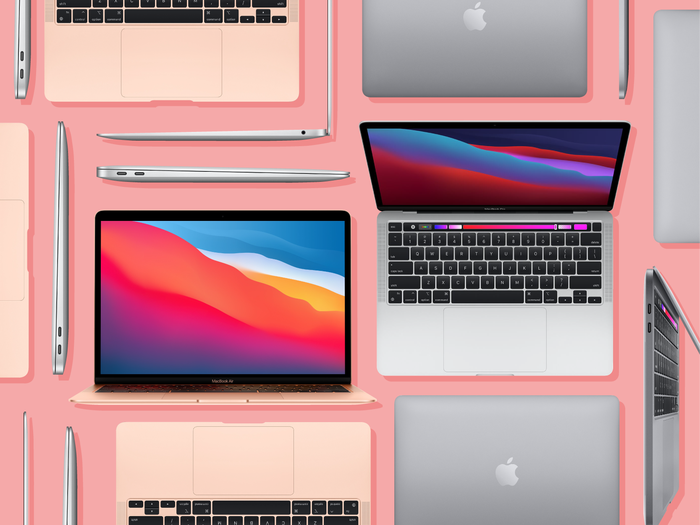
The MacBook Pro M1 2020 is one of the most powerful and efficient laptops available today. If you’re a creative professional, student, or someone who needs a laptop for day-to-day tasks, the M1 MacBook Pro offers impressive performance and battery life. It’s an excellent option for anyone looking for a fast, portable, and long-lasting laptop that can handle a wide range of applications.
Pros:
- Incredible performance with the M1 chip
- Fantastic battery life (up to 20 hours)
- Beautiful Retina display
- Great for video editing, graphic design, and general tasks
- Silent operation (no fan noise)
- Great value for the price
Cons:
- Limited ports (only two Thunderbolt/USB 4 ports)
- No significant design changes compared to the Intel models
- Not as powerful for gaming as high-end gaming laptops
FAQs About the MacBook Pro M1 2020
How much faster is the MacBook Pro M1 compared to Intel models?
The MacBook Pro M1 is up to 2.8x faster than the Intel-based MacBook Pro models in CPU performance.
Does the MacBook Pro M1 have a fan?
The MacBook Pro M1 has a fan, but it’s very quiet and generally only activates under heavy load.
Is the MacBook Pro M1 good for gaming?
While not a gaming laptop, the MacBook Pro M1 can handle many casual games with decent performance.
Can I run Intel-based apps on the MacBook Pro M1?
Yes, thanks to Rosetta 2, you can run Intel-based apps on the MacBook Pro M1 with almost no noticeable performance loss.
How long does the MacBook Pro M1 last on a charge?
The MacBook Pro M1 2020 can last up to 20 hours of video playback or 17 hours of web browsing on a single charge.