

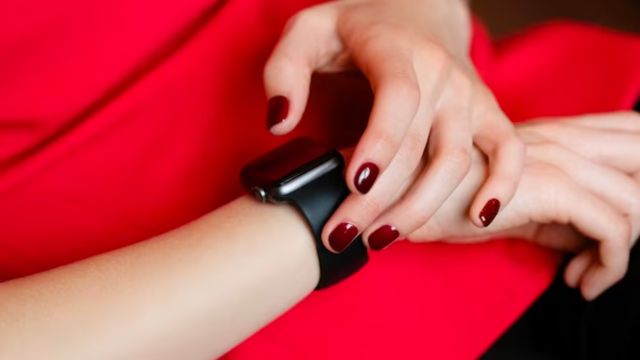
If you are an Apple Watch user, you might wonder why does your Apple Watch glow red at night. What is the reason behind this captivating display? Or you might wonder why this happens out of nowhere at night! Don’t worry if these questions have brought you to this guide.
Because here, today, we’ll find out why this red-glowing of your brand-new Apple Watch happens at night. Let’s settle up to read this short information and discover this hidden mystery!
So, Why Does Your Apple Watch Glow Red At Night Anyway?
In the realm of modern wearable technology, the Apple Watch has undoubtedly carved out a significant space for itself.
Its capabilities seem almost endless, With features ranging from health tracking to communication. One exciting thing about the watch is its red glowing at night.
The red glowing of your Apple Watch in the night is for several reasons. It could be the Nightstand Mode, which glows red at a specific time.
Or it could be the sleep tracking feature. Sometimes, the wrist detection and notification alerts make this gadget glow red in the middle of the night.
Nevertheless, it could also be due to low battery and detection of blood oxygen levels.
So, don’t panic if this smart device glows red at night because it is entirely okay.
This happens for several reasons, and we’ll discuss them in detail shortly.
What Are The Top Reasons Behind Apple Watch Glowing Red at Night?
As stated earlier, if the Apple Watch you are wearing and sleeping goes red at night without your expectations, don’t worry.
Some of the most prone reasons for this are explained as follows. Please have a look!
Because of Nightstand Mode:
Your Apple Watch may glow red at any time, but especially at night, it glows red due to its Nightstand Mode.
When the Apple Watch is placed on the side, connected to its charger, the crown facing upwards turns it into a bedside clock.
This mode displays the time in larger fonts and alarms you have set, and the Apple Watch glows red to serve as a subtle nightlight.
For evening optimization, the Apple watch’s interface turns red for better visibility in dim or dark light.
Sleep Tracking Feature:
With the introduction of Watch O6 and O7, Apple introduced sleep tracking as a native feature. The red glow serves as a reminder that you are in sleep mode.
Its surroundings illuminate softly without causing any disturbance, allowing you to check time and access sleep-related data effortlessly.
Because of Wrist Detection:
Your Apple watch always wants to be on your wrist; that’s why it has a built-in Wrist Detection feature. Your Apple Watch will glow red whenever you take it off.
If you don’t want it to bother you, you can deactivate the wrist-detection feature from settings.
Notification Alerts:
Red dots will appear on its screen when you have unchecked messages or notifications. But no need to worry; they will automatically disappear once you open or respond to your reports.
Apple Watch also gives regular software update alerts to fix any bugs. And when this happens, the watch goes red no matter the time or occasion!
Low battery Indicator:
If your Apple Watch battery runs out of power, it will glow red as a reminder to charge it.
It may also heat up due to prolonged exposure and bump reds. You should set your Apple watch immediately or give it a little rest.
Design and Aesthetics:
The watch’s red glow serves a functional purpose and contributes to its overall visual appeal.
The soft hue of red light created a subtle ambience that reflects Apple Watch’s knack for seamlessly blending technology and aesthetics.
This design choice transforms the Apple Watch into more than just a gadget; it becomes a personalized, wearable art piece.
Detection of Blood Oxygen Level:
The most practical purpose of Red light is oxygen measuring sensors. The red light uses photodiodes to measure the oxygen level in the wearer’s blood and heart rate.
Dark red light indicates a “Low Oxygen Level,” and bright red indicates a “High Oxygen Level”.
At night time, to prevent sleep disturbance, the Apple Watch glows red light instead of green or infrared light. Also, red light measures the hydration level of the wearer.
Let’s see how it works!
The Power of Optical Sensors
The device uses photoplethysmography (PPG) technology to monitor the blood oxygen level of the wearer accurately.
PPG technology involves shining red, green, and infrared light onto the skin and measuring the light reflected.

The Apple Watch utilizes an OLED (organic light-emitting diode) display, which differs from traditional LCD screens. OLEDs can emit their lights, unlike other LCDs, resulting in vibrant colors.
This combination of infrared and visible light can sense various physiological parameters, like your health and well-being.
During the day, these sensors primarily use green LED light to perform their measurements. However, the watch uses a red LED light instead as evening falls and ambient light levels decrease.
But Why Red?
You might wonder that other colors could be used to measure oxygen levels; why does the company opt for red? Here is a fun fact about this selection.
Haemoglobin, a protein in our blood, absorbs red light more effectively than other wavelengths.
By using red glare, the sensors can penetrate the skin more efficiently, enhancing the accuracy of readings such as heart rate and blood oxygen levels.
Does Red Light Affect Sleep At Night?
Red light’s selection for nighttime use isn’t merely a random choice. It’s rooted in the principles of circadian rhythm and the impact of different light wavelengths on our sleep cycle.
Studies have shown that Blue and green light from electronic screens can disturb our sleep by reducing melatonin production.
On the other hand, red light has a significantly lower impact on melatonin production. Apple aims to minimize sleep problems from the watch’s optical sensors by using red light at night.
The company’s commitment to the user’s health is reflected in this design choice, which considers the connection between light exposure and circadian rhythm.
How to Get Rid of Red Light?
You can simply tame the red glow behind your watch, measuring your oxygen by following these steps:
- Press the digital crown on your Apple Watch
- Navigate ‘Settings’ and tap it.
- Make your way to ‘Blood Oxygen Measurement‘ and boom! Turn if off
To stop your watch, alerting you for unnecessary notifications
- Go to ‘My Watch App’ on your iPhone.
- Enter the ‘Notification’ bar.
- Disable the ‘Notification Indicator
Frequently Asked Questions:
Why Does My Apple Watch Glow Green?
The green light on the Apple Watch serves as a Heart Rate Monitor; the green light uses photodiodes, which are absorbed by blood and measure the heart rate of the wearer.
Why does your Apple watch glow red at night series 7?
The Blood Oxygen feature is available on series 7; it glows red because it measures the oxygen level of your blood.
Why does my Apple watch turn red when charging?
Your Apple Watch glows red when it is low on battery and charging. It only displays time and a red lightning bolt; it enters into Power Reserve Mode.
Can you change the color of the light on the Apple Watch?
This color customization feature is available on the Apple Watch Ultra; you can opt for any color you want for its glow, such as pink, orange, and color modes.
Final War, Let It Glow Or Not To Glow?
After knowing all the facts about the Apple Watch glowing red, you may either disable it or let it on. The choice is yours! But think of it as medical assistance on your wrist, keeping you informed about your health in your busy life when you don’t have time to go to your doctor. And those tiny red dots, nothing but to remind you of your updates and keep you alert. Additionally, the red glow is like fireflies guiding you and helping you see in the dark at night without disturbing your sleep.
Now that you know the significance of this red glow on your Apple watch. It would be best to remember that this little gadget is here to serve you technologically and physiologically. It is here to assist, inform, and sometimes remind you.