

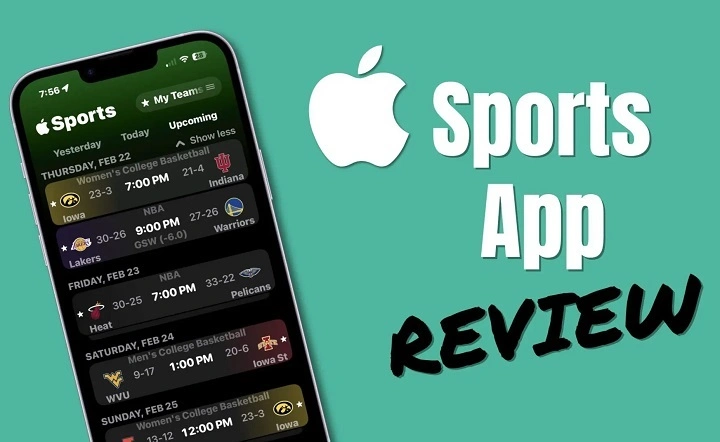
For sports enthusiasts, staying up to date with the latest scores, stats, and news is essential. The Apple Sports app is designed to provide sports fans with an easy and comprehensive way to track live events, scores, and stats — all from the convenience of their Apple device. Whether you’re following your favorite teams, tracking player stats, or catching highlights from the big game, the Apple Sports app is a must-have tool for sports lovers everywhere. In this guide, we’ll break down the key features of the Apple Sports app and show you how to make the most out of this powerful sports tracking tool.
What Is the Apple Sports App?
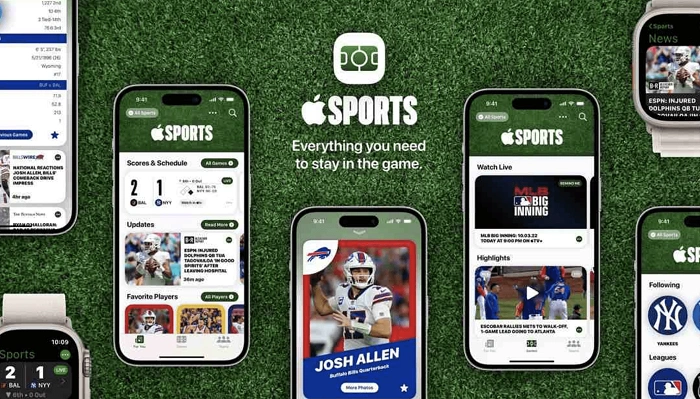
The Apple Sports app is a feature available on iOS devices, including iPhones, iPads, and Macs, that allows users to track live sports events, scores, news, and highlights in real-time. Integrated with Apple News, the app provides an all-in-one platform for sports fans to keep up with their favorite teams, athletes, and leagues. The Apple Sports app covers a wide range of sports, including but not limited to:
- Football (NFL, NCAA, and more)
- Basketball (NBA, NCAA, EuroLeague, and more)
- Baseball (MLB)
- Soccer (MLS, Premier League, La Liga, etc.)
- Tennis (Grand Slam events)
- Formula 1, and many more.
The app’s seamless integration with Apple’s ecosystem ensures a smooth experience across devices, with personalized notifications, live updates, and the ability to quickly access live games and highlights.
Key Features of the Apple Sports App
1. Live Scores and Game Tracking
One of the most exciting features of the Apple Sports app is its ability to provide live score updates for games across multiple sports. Whether you’re watching a football game, a basketball match, or a tennis tournament, the app gives you live score updates and in-depth game tracking. The app provides:
- Real-time scores with accurate updates for every game.
- Interactive scorecards with player stats and key moments.
- Live play-by-play updates for most major sports leagues.
These features make it easy to keep track of multiple games happening simultaneously, so you never miss an exciting moment.
2. Personalized Notifications
Apple Sports gives you the ability to set up personalized notifications based on your preferences. You can follow specific teams, players, or leagues and get notifications for things like:
- Game start times and reminders.
- Score updates during the game.
- Key moments (touchdowns, goals, home runs, etc.).
- Breaking news or player injuries.
You can choose how often you want to receive updates and tailor the notifications to match your interests.
3. Highlights and Recaps
The Apple Sports app allows you to catch up on the action even if you missed a game. The app features game highlights and recaps from major sports events. These include:
- Short video clips of key plays and highlights.
- Full game recaps summarizing the game’s most important moments.
- Player highlights showing key performances.
Whether you missed the game or just want to rewatch your favorite moments, the Apple Sports app gives you easy access to all the highlights.
4. Apple TV Integration
For sports fans who prefer watching games in high definition, the Apple Sports app integrates seamlessly with Apple TV. You can access live games, sports events, and highlights on your TV through the Apple TV app, ensuring an immersive viewing experience. This integration is perfect for users who want to combine the live score tracking of the app with full-screen action on their television.
Additionally, users can access Apple TV+ sports programming, including exclusive shows, documentaries, and events such as MLB games or the Friday Night Baseball series, available for Apple TV+ subscribers.
5. Comprehensive Coverage Across Sports
Apple Sports offers in-depth coverage of a wide variety of sports, including:
- Football: NFL, NCAA football, and international leagues like the English Premier League.
- Basketball: NBA, NCAA, EuroLeague, and more.
- Baseball: MLB and minor leagues.
- Soccer: MLS, European leagues, and international competitions.
- Tennis: Grand Slam events like Wimbledon, US Open, and the French Open.
- Golf: PGA Tour, Masters, and more.
- Formula 1 and many others.
This vast coverage ensures that no matter what sport you love, you’ll find your favorite teams and leagues in the Apple Sports app.
6. Detailed Stats and Player Information
For fans who are into statistics, the Apple Sports app offers detailed player and team information. You can view:
- Player stats including points, goals, assists, and more.
- Team stats with rankings, win-loss records, and head-to-head matchups.
- League standings and playoff brackets.
- Injury reports and roster changes.
This wealth of information helps fans stay on top of the latest stats and performances for players and teams they care about.
Benefits of Using the Apple Sports App
1. User-Friendly Design
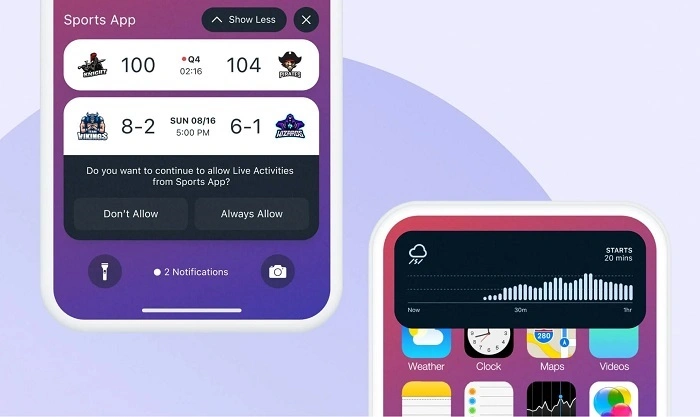
The Apple Sports app boasts a clean and intuitive design, making it easy to navigate even for new users. The app’s interface is designed to provide essential information without overwhelming users, with tabs for scores, news, and personalized content. The search functionality is also robust, helping you find the sports, teams, and players you want to follow.
2. Comprehensive News Coverage
In addition to scores and live updates, the Apple Sports app integrates sports news from Apple News, ensuring that you have the latest headlines, player interviews, and analysis at your fingertips. Whether you’re looking for trade rumors, injury updates, or expert opinions, the app provides a full spectrum of sports journalism.
3. Cross-Device Integration
The Apple Sports app seamlessly integrates with other Apple devices, allowing you to start following a game on your iPhone, get a notification on your Apple Watch, and then stream highlights on your Apple TV. This seamless connection within the Apple ecosystem ensures that no matter what device you use, you’re always in the loop.
4. Free to Use
Unlike many other sports apps that require subscriptions or in-app purchases, the Apple Sports app is completely free to use, giving fans access to a wide array of sports content at no cost.
How to Set Up and Use the Apple Sports App
To start using the Apple Sports app:
- Install the Apple News app if it’s not already installed on your device (it comes preinstalled on most Apple devices).
- Launch the Apple News app and navigate to the “Sports” section.
- Choose your favorite teams and sports, and customize notifications based on your interests.
- Start following live scores, news, and highlights as they unfold.
For any sports fan, the Apple Sports app is a valuable and free tool that offers a comprehensive way to stay connected with your favorite teams and sports. With live scores, notifications, game highlights, and more, it makes following the action easier than ever. Whether you’re a casual viewer or a die-hard sports fan, this app is designed to keep you up-to-date on everything happening in the world of sports.