

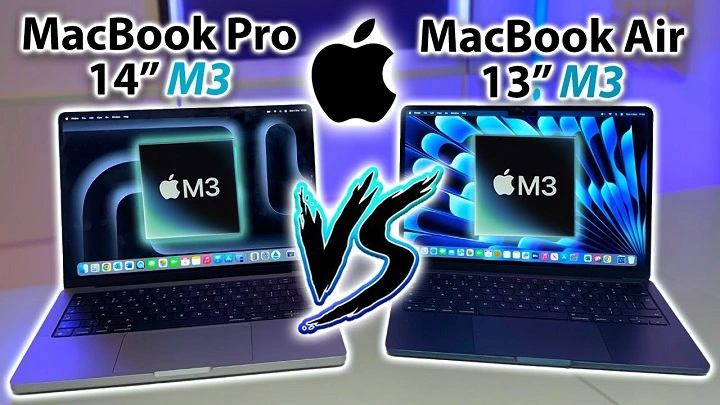
Apple’s transition to its custom-designed M3 chip is one of the most exciting developments in the MacBook lineup. The MacBook Air M3 and MacBook Pro M3 both offer impressive power, performance, and efficiency, but they are designed for different types of users. Whether you’re a student, professional, or casual user, choosing between these two models can be difficult. In this post, we’ll compare the MacBook Air M3 and MacBook Pro M3 to help you make the best decision based on your needs.
Key Differences Between MacBook Air M3 and MacBook Pro M3
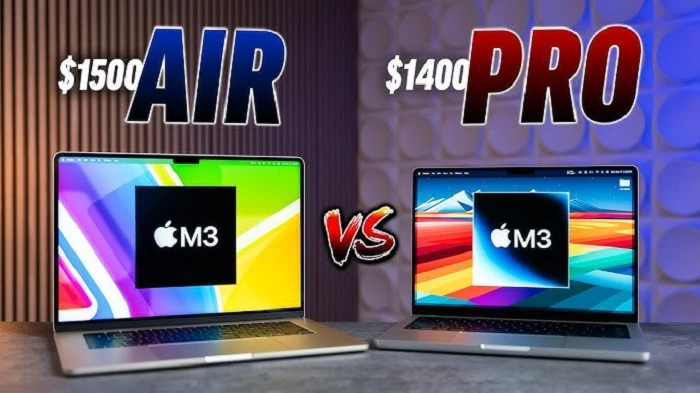
While both the MacBook Air M3 and MacBook Pro M3 share the same powerful M3 chip, they are built for different audiences, offering distinct features in terms of performance, display, design, and battery life. Here’s how they compare:
Design and Portability
MacBook Air M3:
- Thin and Lightweight: The MacBook Air M3 is known for its ultra-thin, lightweight design, making it one of the most portable MacBooks available. It weighs just 2.7 pounds (1.24 kg) and is only 0.61 inches (15.6 mm) thick.
- Fanless Design: The MacBook Air uses a fanless design, which results in silent operation. This makes it ideal for users who want a quiet and cool device for everyday tasks like browsing, word processing, and media consumption.
- Best for Portability: If you’re looking for the most portable MacBook for everyday use, travel, or carrying around the office, the MacBook Air M3 is the more suitable choice.
MacBook Pro M3:
- Slightly Larger and Heavier: The MacBook Pro M3 is slightly larger and heavier than the Air, weighing 3.0 pounds (1.4 kg) and measuring 0.61 inches (15.6 mm) thick. While still portable, it’s not as slim and lightweight as the MacBook Air.
- Active Cooling System: Unlike the MacBook Air, the MacBook Pro has a fan-based cooling system, allowing for sustained performance under heavy workloads like video editing, programming, or 3D rendering.
- Ideal for Power Users: The MacBook Pro M3 is better suited for users who need more power and performance, but still want a relatively compact device for professional use.
Display
MacBook Air M3:
- 13.6-inch Retina Display: The MacBook Air M3 comes with a 13.6-inch Liquid Retina display offering crisp visuals and True Tone technology. The display supports P3 wide color and 500 nits of brightness, making it suitable for everyday tasks and media consumption.
- Best for Casual Users: The display is excellent for general usage, such as browsing, writing, and watching movies. While it’s not the brightest or most color-accurate display, it’s more than sufficient for most users.
MacBook Pro M3:
- 14-inch and 16-inch Liquid Retina XDR Displays: The MacBook Pro M3 offers more advanced display options with its Liquid Retina XDR displays. Available in 14-inch and 16-inch models, these displays offer exceptional brightness (up to 1600 nits peak brightness) and true-to-life color reproduction with ProMotion for smoother visuals.
- Best for Creative Professionals: The MacBook Pro M3’s display is designed for professionals who work in photography, video editing, design, or any field that requires superior color accuracy and clarity.
Performance and Power
Both models are powered by the M3 chip, but the way they deliver performance varies due to their design and cooling systems.
MacBook Air M3:
- 8-Core CPU and 10-Core GPU: The MacBook Air M3 features an 8-core CPU and a 10-core GPU. While it is capable of handling everyday tasks with ease, it is not designed for sustained heavy workloads like video editing or gaming.
- Best for Casual Use: The MacBook Air M3 excels at tasks like word processing, web browsing, media streaming, and light photo or video editing. It provides a smooth experience for most day-to-day activities without the need for extra power.
MacBook Pro M3:
- 8-Core CPU and 10-Core GPU: The MacBook Pro M3 also comes with an 8-core CPU and 10-core GPU, but the key difference lies in its active cooling system. The MacBook Pro can maintain higher performance for longer periods without throttling, making it a better choice for power users.
- Best for Power Users: The MacBook Pro M3 is designed for professionals who need to run demanding applications like Final Cut Pro, Logic Pro, Adobe Premiere Pro, or software for programming, 3D rendering, and machine learning.
Battery Life
MacBook Air M3:
- Up to 18 Hours of Battery Life: The MacBook Air M3 offers incredible battery life, lasting up to 18 hours for video playback and 15 hours of web browsing. Thanks to its energy-efficient design and lack of a fan, the MacBook Air is perfect for users who need a device that can last all day without needing to plug in.
MacBook Pro M3:
- Up to 22 Hours of Battery Life: The MacBook Pro M3 offers even better battery life, with up to 22 hours of video playback and 18 hours of web browsing. While slightly larger and more powerful, the MacBook Pro M3 is still very efficient, thanks to the energy-saving features of the M3 chip.
Ports and Connectivity
MacBook Air M3:
- Limited Ports: The MacBook Air M3 features two Thunderbolt 3/USB 4 ports and a 3.5mm headphone jack. This limited selection of ports means you’ll need to use adapters or a docking station for more peripherals, but it’s perfectly adequate for most users.
- Best for Light Connectivity: The MacBook Air is ideal for users who don’t need many ports and rely on wireless connectivity, such as Wi-Fi and Bluetooth.
MacBook Pro M3:
- More Ports for Power Users: The MacBook Pro M3 features three Thunderbolt 4/USB 4 ports, an HDMI port, an SDXC card slot, and a 3.5mm headphone jack, offering more options for connectivity.
- Ideal for Professionals: The MacBook Pro M3 is better suited for users who need to connect multiple peripherals, such as external drives, monitors, cameras, and audio equipment.
Price Comparison: MacBook Air M3 vs MacBook Pro M3

The price difference between the MacBook Air M3 and MacBook Pro M3 is significant, with the MacBook Pro M3 being the more expensive option due to its enhanced features and better performance.
- MacBook Air M3: Starting at around $1,099 (for the base model with 8GB of RAM and 256GB of SSD storage).
- MacBook Pro M3: Starting at around $1,799 (for the base model with 8GB of RAM and 512GB of SSD storage).
Which One Should You Choose?
Choose the MacBook Air M3 If:
- You need a highly portable, lightweight laptop for everyday use.
- You don’t require maximum performance for tasks like video editing or 3D rendering.
- You prefer a quieter, fanless design and want excellent battery life for casual tasks.
- You’re on a budget and need a solid all-around laptop without breaking the bank.
Choose the MacBook Pro M3 If:
- You need extra power for professional work, such as video editing, 3D rendering, software development, or music production.
- You need a larger, more vibrant display for creative tasks.
- You require more connectivity options and don’t mind a slightly heavier device.
- You want the best battery life and performance for demanding applications.
FAQs About MacBook Air M3 vs MacBook Pro M3
What’s the main difference between the MacBook Air M3 and MacBook Pro M3?
The MacBook Pro M3 is designed for power users and professionals, with better performance, a superior display, and more connectivity options. The MacBook Air M3 is more portable, lightweight, and ideal for everyday use.
Is the MacBook Pro M3 worth the extra cost?
If you’re a professional who needs more power, better display quality, and additional ports for peripherals, the MacBook Pro M3 is worth the investment. However, for casual users, the MacBook Air M3 offers great value.
Which one has a better display, the MacBook Air M3 or the MacBook Pro M3?
The MacBook Pro M3 has a superior Liquid Retina XDR display, offering better brightness, color accuracy, and ProMotion for smoother visuals. The MacBook Air M3 has a high-quality Retina display but lacks the advanced features of the Pro.
Can the MacBook Air M3 handle professional video editing?
The MacBook Air M3 can handle light video editing tasks, but if you work with 4K video or need advanced editing tools, the MacBook Pro M3 would be a better choice.
Does the MacBook Pro M3 have better battery life?
Yes, the MacBook Pro M3 offers up to 22 hours of video playback, whereas the MacBook Air M3 provides up to 18 hours.