

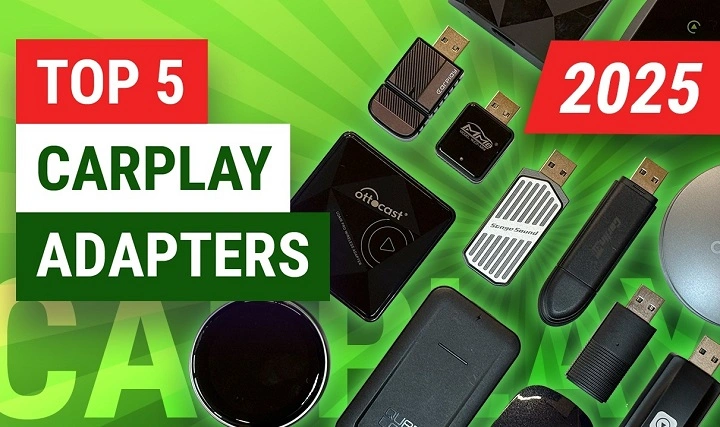
Driving has come a long way. Not long ago, you needed to plug in your iPhone using a cable so that you could access Apple CarPlay. That meant cables to plug in every time you drove, messing around with them, and wasting time. There’s a solution today: the wireless Apple CarPlay adapter.
This tiny device transforms your car’s wired CarPlay system into a complete wireless one. No need to hook it up. Simply turn on your car, and your iPhone is connected. For people who love convenience, safety, and a cable-free interior without obtrusive cables, this adapter is a revolutionary addition.
But what is a wireless Apple CarPlay adapter, then? How does it operate? And how do I find the best one? This review will tell you everything you need to know so you can decide whether or not a CarPlay adapter is suitable for you.
What is a Wireless Apple CarPlay Adapter?
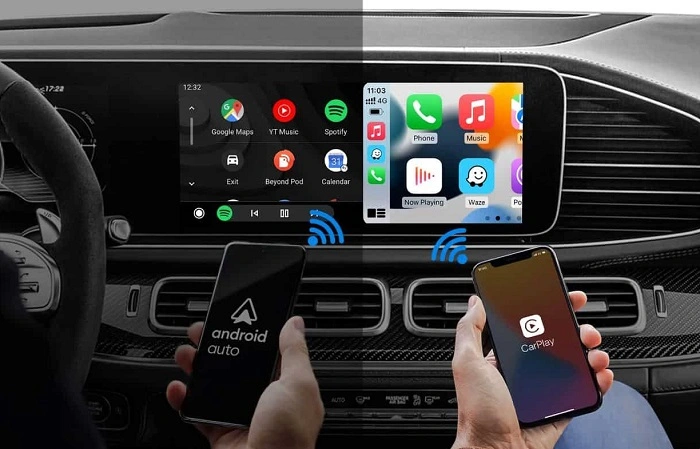
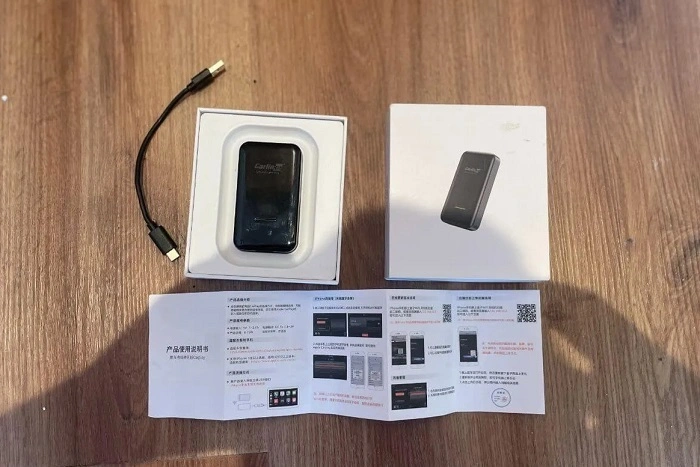
Wireless CarPlay adapter is a small plug-and-play adapter that you plug into your car’s USB or USB-C outlet. Then, it creates a wireless bridge between your iPhone and car infotainment system.
Instead of plugging your phone in for every drive, the adapter plugs in through Wi-Fi and Bluetooth. That lets you access CarPlay features—navigation, music, calls, Siri—wire-free.
Key Features:
- Smooth wireless connectivity between iPhone and infotainment system
- Plug-and-play in the majority of cars
- Auto-reconnect when you start your trip
- Siri, navigation, and all CarPlay apps supported
Why Use a Wireless CarPlay Adapter?
- Convenience – No more plugging in your iPhone with every drive
- Clean Appearance – No wires coiled behind the console
- Safety – Auto-connect means less distraction on the road
- Universal Compatibility – Installed in most cars that already have wired CarPlay connectivity
- Ease of Use – Utilize the adapter with multiple iPhones (passengers, family members)
How Wireless CarPlay Functions
Wireless CarPlay operates using Bluetooth and Wi-Fi Direct:
- Bluetooth performs the first handshake between iPhone and adapter.
- Wi-Fi Direct takes over, transferring data (calls, music, maps) quickly and without delays.
This combination provides low-latency performance, therefore navigation and music incredibly smooth during driving.
Installation: How to Mount a Wireless Apple CarPlay Adapter
It’s simple:
- Insert the adapter into your vehicle’s USB/USB-C port.
- Wait for booting up (10–20 seconds).
- On your iPhone, access Bluetooth settings and pair with the adapter.
- See the instruction to enable CarPlay wirelessly.
That’s it—your phone will auto-pair every time you start the car.
Best Wireless CarPlay Adapters in 2025
There are a few players that now dominate the market. These are the best of them:
CarlinKit Wireless Adapter
- World’s best brand
- Plug-and-play with fast boot time
- Seamless performance with less delay
Ottocast U2-Air
- Small, light-weight, and portable
- Best top for stable connectivity
- Compatible with multiple car models
Motorola MA1
- Backed by Motorola brand
- Sleek user interface
- Great customer service
CPLAY2air
- One of the original adapters
- Excellent software update support
- Somewhat heavier build
Binize Adapter
- Budget-friendly option
- Gets the job done in most vehicles
- May respond slower than more expensive units
Compatibility: Will It Work in Your Car?
Wireless CarPlay adapters are likely to work if:
- Your car already has factory-installed wired CarPlay
- You own an iPhone 6 or newer with iOS 10+
Not all head units are supported in the aftermarket, but most of the major brands (Pioneer, Alpine, Kenwood) are supported. Always double-check the adapter’s list of compatible units before purchasing.
Performance: Pros and Cons
Pros
- Auto-connect immediately
- Cordless cleaner cabin
- Multiple iPhone support
Cons
- Minimal delay compared to wired CarPlay
- Occasional lag on video streaming apps
- Needs firmware updates to perform at best
Comparison Table: Wired vs Wireless CarPlay
| Feature | Wired CarPlay | Wireless CarPlay Adapter |
| Connection | Requires cable | Wireless Bluetooth/Wi-Fi |
| Setup Speed | Manual plug each time | Auto-connect on start |
| Performance | Faster, zero lag | Slight lag possible |
| Convenience | Low (knotted cords) | High (no cables needed) |
| Charging Phone | Yes (with cable) | No (needs wireless charging) |
Battery Considerations
One common question: Does wireless CarPlay drain iPhone battery faster?
Yes, as your iPhone is not plugged in, it will not be charged. Navigation and streaming will deplete the battery quickly.
Solutions:
- Use a wireless charging mount
- Charge through a second USB charger while still having wireless CarPlay
Troubleshooting Common Problems
Adapter Won’t Connect
- Restart your car
- Forget device in Bluetooth settings, and re-pair
Slow Connection
- Update firmware on the adapter
- Make sure no other devices conflict with Wi-Fi
iPhone Not Recognized
- Make sure iOS is up to date
- Check to make sure your adapter is compatible with your car model
Safety and Driving Experience
Wireless CarPlay adapters provide increased safety through reduced distractions:
- No cable mess while driving
- Hands-free voice calls and Siri, navigation, and calls
- Quick connection is road focus
Price Range
Wireless CarPlay adapters usually cost between $60–$150 depending on functionality and brand. More expensive ones (Motorola, CarlinKit) are more reliable but cost more.
The Future of Wireless CarPlay
Apple will likely introduce native wireless CarPlay support to other cars. But until then, adapters will be the easiest fix for those unwilling to pay money to purchase a new vehicle.
Future enhancements might include:
- Faster booting
- Better firmware
- Android Auto universal compatibility
Wireless Apple CarPlay Adapter FAQs
Do I need Wi-Fi installed in my home or automobile to use wireless CarPlay?
No. The adapter creates a separate Wi-Fi connection on your iPhone.
Will it be compatible with Android phones?
No, adapters are only available for Apple CarPlay.
Will it be compatible with iPhone 15 and onwards?
Yes, provided your iPhone is at iOS 10 or later.
Will my phone be rechargeable?
Yes, but you’ll need to utilize another wireless charger or USB port since the main port is being used by the adapter.
Is there any lag in Siri or maps?
Very minimal. Navigation and voice commands tend to remain smooth.
Final Thoughts
One of the easiest car upgrades to make in 2025 is the wireless Apple CarPlay adapter. It revolutionizes your life behind the wheel by eliminating cables, being quicker to hook up, and keeping your inside tidy. Though not ideal—there can be brief lag or battery drain issues—the convenience outweighs the inconvenience.
If you’re tired of needing to plug your iPhone into every road trip, a wireless adapter is worth the purchase. Freedom, in a nutshell: you get in the car, turn on the engine, and CarPlay becomes alive all without laying a finger on a cord.