

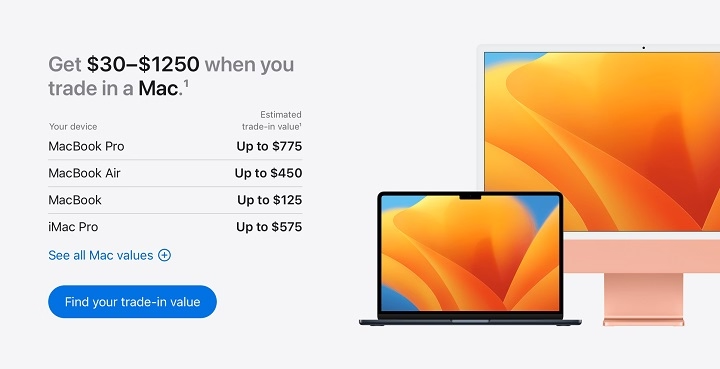
Are you ready to take the leap into the future with a sleek, new MacBook Air? Don’t let your old device collect dust – it’s time to trade it in and unlock its value towards your next upgrade. In this comprehensive guide, we’ll walk you through everything you need to know about trading in your MacBook Air, from assessing its condition to maximizing its trade-in value. Let’s dive in!
Why Trade-In Your MacBook Air?
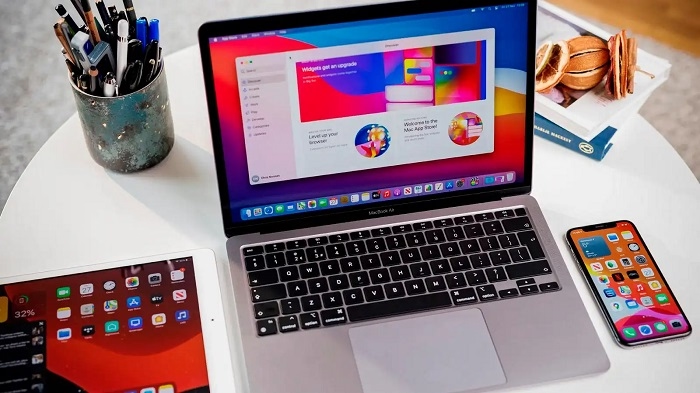
Before we delve into the nitty-gritty details, let’s explore why trading in your MacBook Air is a smart move.
- Stay Ahead of the Curve
Technology evolves rapidly, and staying up-to-date with the latest advancements ensures you’re not left behind. By trading in your old MacBook Air, you can stay ahead of the curve and enjoy the benefits of cutting-edge features and performance enhancements.
- Environmental Responsibility
Responsible disposal of electronic devices is crucial for environmental sustainability. Rather than letting your old MacBook Air end up in a landfill, trading it in allows for its components to be recycled and repurposed, reducing electronic waste and minimizing environmental impact.
- Financial Incentives
Trading in your MacBook Air can provide financial incentives that offset the cost of upgrading to a new device. Whether it’s through cashback offers, trade-in discounts, or store credits, maximizing the value of your old device can make the transition to a new MacBook Air more affordable.
Assessing the Condition of Your MacBook Air
Before initiating the trade-in process, it’s essential to assess the condition of your MacBook Air accurately. The condition of your device plays a significant role in determining its trade-in value. Here’s how to evaluate its condition:
- Exterior Appearance
Inspect the exterior of your MacBook Air for any visible signs of wear and tear, such as scratches, dents, or scuffs. Note any damages, no matter how minor, as they can impact its trade-in value.
- Functionality
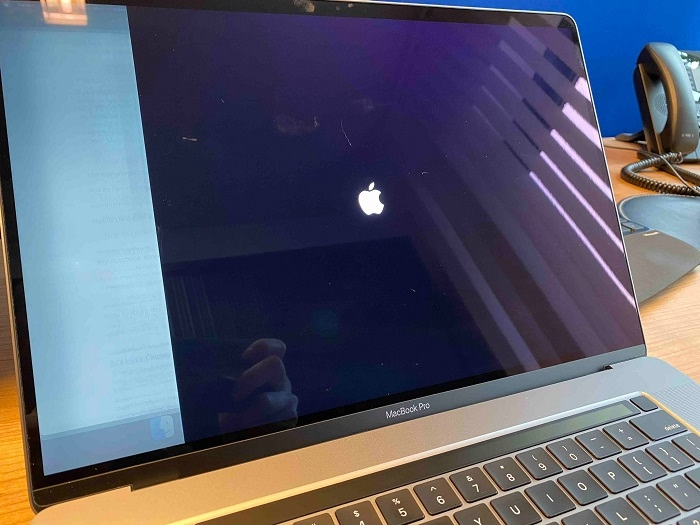
Test the functionality of your MacBook Air by powering it on and checking for any hardware or software issues. Ensure that all components, including the display, keyboard, trackpad, ports, and speakers, are in working condition.
- Battery Health
Evaluate the battery health of your MacBook Air using built-in diagnostic tools or third-party applications. A healthy battery with sufficient capacity will fetch a higher trade-in value than one with diminished capacity or performance.
Maximizing Your MacBook Air Trade-In Value
Now that you’ve assessed the condition of your MacBook Air, it’s time to maximize its trade-in value. Follow these tips to get the most out of your trade-in:
- Clean and Restore
Give your MacBook Air a thorough cleaning to remove any dust, dirt, or grime accumulated over time. Wipe down the exterior surfaces, keyboard, and screen with a soft, microfiber cloth and gentle cleaning solution. Consider restoring the device to its factory settings to erase personal data and ensure a fresh start for its new owner.
- Include Accessories
If you have any accessories that originally came with your MacBook Air, such as the charger, cables, or adapters, include them in the trade-in package. Providing all the necessary accessories enhances the overall value of your trade-in.
- Provide Documentation
Gather any relevant documentation, such as the original purchase receipt, warranty information, or proof of ownership. Having documentation on hand can streamline the trade-in process and validate the authenticity of your device.
- Compare Trade-In Offers
Shop around and compare trade-in offers from different retailers, online platforms, and electronic recycling programs. Consider factors such as trade-in value, convenience, and reputation when choosing where to trade in your MacBook Air.
Initiating the Trade-In Process
With your MacBook Air evaluated and its trade-in value maximized, it’s time to initiate the trade-in process. Here’s how to get started:
- Research Trade-In Programs
Research trade-in programs offered by Apple, authorized resellers, electronic recycling companies, and online marketplaces. Each program may have different eligibility criteria, trade-in values, and procedures, so be sure to choose one that best fits your needs.
- Gather Necessary Information
Prepare the necessary information required for the trade-in process, such as the serial number of your MacBook Air, its specifications, and any additional documentation requested by the trade-in program.
- Submit Trade-In Request
Submit a trade-in request through the chosen trade-in program’s website or in-person at a physical location, if available. Provide accurate information about the condition of your MacBook Air to receive an initial trade-in value estimate.
- Ship or Drop Off Your Device
Follow the instructions provided by the trade-in program to ship your MacBook Air or drop it off at a designated location. Ensure that your device is securely packaged to prevent damage during transit.
Congratulations! You’ve successfully traded in your old MacBook Air and unlocked its value towards a new upgrade. By following the steps outlined in this guide, you’ve navigated the trade-in process with confidence and maximized the value of your device. Enjoy your new MacBook Air and stay tuned for future technology advancements!
Expanding Your Options: Exploring Trade-In Programs
When it comes to trading in your MacBook Air, you have a variety of options to choose from. Let’s explore some of the most popular trade-in programs available:
- Apple Trade-In Program
Apple offers its own trade-in program, allowing customers to trade in their old devices for credit towards the purchase of a new one. The process is straightforward: visit the Apple Trade In website, select your device, answer a few questions about its condition, and receive an instant estimate of its trade-in value. If you accept the offer, you can choose to receive an Apple Gift Card or a refund on your purchase. Apple Trade-In accepts a wide range of Apple products, including MacBook Air, regardless of their condition.
- Authorized Resellers
Many authorized Apple resellers and retailers also offer trade-in programs for old devices. These programs may vary in terms of trade-in value, eligibility criteria, and accepted devices. Some authorized resellers may offer competitive trade-in values and additional incentives, such as store credits or discounts on new purchases. Check with your local Apple reseller or visit their website to learn more about their trade-in program.
- Electronic Recycling Companies
Electronic recycling companies provide another option for trading in your old MacBook Air. These companies specialize in recycling and refurbishing electronic devices, including laptops, smartphones, and tablets. By trading in your device with an electronic recycling company, you can ensure that it is responsibly recycled or refurbished for resale. Some electronic recycling companies may offer cash payments or store credits in exchange for old devices.
- Online Marketplaces
Online marketplaces, such as eBay, Craigslist, and Facebook Marketplace, provide platforms for selling or trading in your old MacBook Air directly to other consumers. While this option requires more effort and time compared to trade-in programs, it may result in higher resale values, especially for well-maintained devices. Be sure to accurately describe the condition of your MacBook Air and take clear photos to attract potential buyers.
- Trade-In Events and Promotions
Keep an eye out for trade-in events and promotions offered by retailers, especially during product launch periods or holiday seasons. Retailers may offer special trade-in deals, such as bonus credits or discounts, to encourage customers to upgrade their devices. Take advantage of these promotions to maximize the value of your trade-in and save on your new MacBook Air purchase.
Navigating the Trade-In Process
Once you’ve chosen a trade-in program that suits your preferences, it’s time to navigate the trade-in process. Here are some tips to help you smoothly navigate each step:
- Read the Terms and Conditions
Before committing to a trade-in program, carefully read the terms and conditions to understand the eligibility criteria, trade-in values, and procedures involved. Pay attention to any fees, deductions, or restrictions that may apply to your trade-in.
- Prepare Your Device
Prepare your MacBook Air for trade-in by following the manufacturer’s guidelines for resetting and erasing personal data. Back up any important files or documents stored on your device and sign out of your Apple ID account to deactivate activation lock.
- Package Your Device Securely
When shipping your MacBook Air to the trade-in program, package it securely to prevent damage during transit. Use bubble wrap or foam padding to cushion the device and ensure that it is tightly sealed in a sturdy box. Consider purchasing shipping insurance for added protection.
- Track Your Trade-In Status
Once you’ve shipped your MacBook Air, track its trade-in status through the trade-in program’s website or customer service portal. Keep any tracking numbers or shipping receipts handy for reference.
- Receive Your Trade-In Value
Upon receiving your MacBook Air, the trade-in program will inspect its condition and verify its eligibility for trade-in. If everything checks out, you’ll receive your trade-in value in the form of store credits, gift cards, or cash payments, depending on the program’s terms.
Trading in your old MacBook Air is a smart and sustainable way to embrace the future of technology. By unlocking the value of your old device, you can upgrade to a new MacBook Air with confidence, knowing that you’ve made the most of your investment. Whether you choose to trade in your device through Apple’s Trade-In program, an authorized reseller, an electronic recycling company, or an online marketplace, the process is straightforward and rewarding. So why wait? Trade in your old MacBook Air today and embark on a journey of innovation and possibility.