

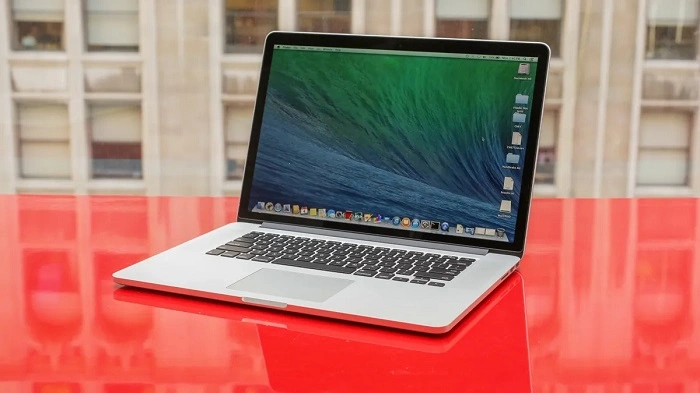
The MacBook Pro 2014 was a significant model in Apple’s laptop lineup, offering powerful performance, sleek design, and reliability. Although it’s no longer the newest MacBook on the market, the 2014 version still holds a lot of value for those who are looking for an affordable, functional laptop for both professional and personal use. In this detailed review, we’ll explore the features, performance, pros, and cons of the MacBook Pro 2014 to help you decide if it’s the right choice for you in today’s market.
Key Features of the MacBook Pro 2014
Display
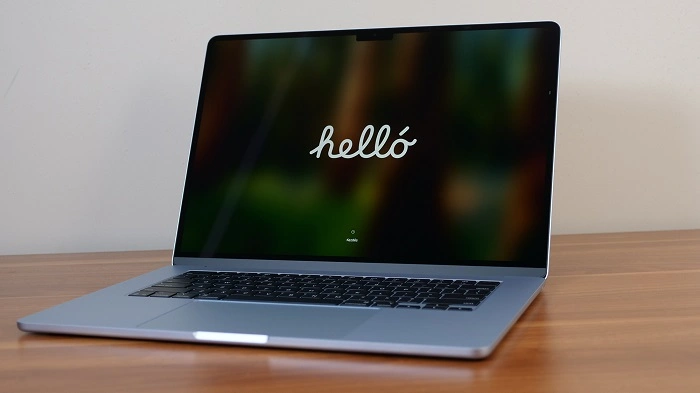
The MacBook Pro 2014 features a Retina display with high resolution and excellent color accuracy, making it ideal for creative professionals and general users alike. It comes in two sizes:
- 13-inch Retina Display: 2560 x 1600 resolution
- 15-inch Retina Display: 2880 x 1800 resolution
Both options offer sharp, vibrant visuals, which are perfect for photo editing, video streaming, and casual browsing.
Performance
The MacBook Pro 2014 is equipped with Intel’s Haswell processors, which deliver solid performance for most tasks. The base model of the 13-inch MacBook Pro 2014 comes with an Intel Core i5 processor, while the 15-inch MacBook Pro includes more powerful Intel Core i7 processors for demanding tasks like video editing and gaming.
Both versions come with 8GB of RAM as standard, which is expandable up to 16GB for better multitasking and performance. With a Solid-State Drive (SSD) for storage, the MacBook Pro 2014 provides fast read and write speeds, contributing to quicker boot times and application launches.
Graphics
The MacBook Pro 2014 comes with integrated Intel Iris Graphics for the 13-inch model and a combination of Intel Iris Pro Graphics and AMD Radeon R9 M370X (for discrete graphics) in the 15-inch model. The 15-inch MacBook Pro is ideal for tasks like gaming, video editing, and 3D modeling due to the additional dedicated GPU. The 13-inch model is fine for everyday use and light media tasks.
Battery Life
Apple has always focused on battery efficiency, and the MacBook Pro 2014 is no exception. The 13-inch MacBook Pro offers up to 10 hours of web browsing or video playback, while the 15-inch model provides up to 9 hours of similar usage. The battery life may vary based on usage, but both models perform well in terms of longevity.
Design and Build Quality
The MacBook Pro 2014 features Apple’s signature unibody design, which is both slim and durable. Made from high-quality aluminum, the laptop feels solid and premium in hand. The 13-inch model weighs 3.46 pounds, while the larger 15-inch model weighs 4.49 pounds, making both of them relatively portable for professional use.
Ports and Connectivity
The MacBook Pro 2014 comes with an array of ports, offering flexibility for different tasks. The 13-inch model features:
- 2 USB 3.0 ports
- 1 Thunderbolt 2 port
- 1 HDMI port
- 1 SDXC card slot
- 3.5mm headphone jack
- MagSafe 2 power port
The 15-inch model features similar ports, along with 2 Thunderbolt 2 ports for faster data transfer. The inclusion of HDMI and SDXC card slots is particularly useful for professionals in photography, video editing, or design who need to quickly transfer files from external devices.
macOS Compatibility
The MacBook Pro 2014 originally came with OS X Mavericks, but it can be upgraded to the latest version of macOS (as of this writing, macOS Monterey is compatible). This ensures that even though the laptop is older, it still benefits from new macOS features and security updates.
Performance of the MacBook Pro 2014
The MacBook Pro 2014 performs admirably for most daily tasks, including web browsing, word processing, and light media editing. However, for heavy-duty applications like 4K video editing, gaming, and running virtual machines, the 15-inch version with AMD Radeon R9 M370X graphics will deliver better results. Here’s how it stacks up for different uses:
For Everyday Use:
- Web browsing, email, video streaming, and office productivity tasks run smoothly on both the 13-inch and 15-inch models.
- MacBook Pro 2014 is fast enough for these tasks, and the SSD storage ensures quick access to files and applications.
For Creative Work:
- Photo editing in applications like Adobe Photoshop and Lightroom works well on the 13-inch model, but you’ll get smoother results on the 15-inch MacBook Pro with its dedicated graphics.
- Video editing in apps like Final Cut Pro and Adobe Premiere Pro is much better on the 15-inch version, especially when handling 4K footage.
For Gaming:
- Gaming on the MacBook Pro 2014 isn’t the best experience, but older games or less demanding titles can run smoothly. The 15-inch model with the AMD Radeon R9 M370X graphics offers slightly better performance for gaming than the 13-inch model.
For Professional Work:
- For professionals who use graphic design, 3D rendering, or software development tools, the MacBook Pro 2014 is still an excellent machine, though newer MacBook models will provide faster speeds and better long-term performance.
MacBook Pro 2014: Pros and Cons

Pros:
- Retina Display: High-resolution, vibrant screen perfect for creative work.
- Solid Performance: Capable of handling everyday tasks with ease and even light-to-medium professional workloads.
- Great Battery Life: Up to 10 hours of usage on the 13-inch model.
- Good Port Selection: Includes useful ports like HDMI, SD card reader, and Thunderbolt 2.
- Premium Build Quality: Sleek, solid, and durable design.
- Upgradeable to Latest macOS: Still supported by Apple, ensuring ongoing security and software updates.
Cons:
- Older Hardware: While the Mavericks-era hardware is still functional, it’s not as powerful as newer MacBook models, especially for more demanding tasks.
- Not Great for High-End Gaming: While some casual games work fine, the MacBook Pro 2014 is not designed for gaming.
- Limited Ports for Newer Tech: It lacks USB-C/Thunderbolt 3 ports, which are becoming more common in modern accessories.
- Expensive for an Older Model: Even though it’s a few years old, it may still be priced higher than newer, entry-level models with better specs.
Is the MacBook Pro 2014 Worth It in 2025?
The MacBook Pro 2014 is still a powerful laptop for most casual users, students, or professionals who don’t need top-tier performance for heavy workloads. It’s an affordable alternative to newer MacBook models, but it’s worth considering what you really need from a laptop.
If you’re primarily using your MacBook for web browsing, productivity tasks, and media consumption, the MacBook Pro 2014 will still serve you well. However, if you’re into graphic design, video editing, or high-end gaming, you may want to consider newer models, as they come with faster processors, more RAM, better graphics, and a longer lifespan.
FAQs About the MacBook Pro 2014
Can I upgrade the RAM in my MacBook Pro 2014?
Unfortunately, the RAM is soldered onto the MacBook Pro 2014’s motherboard, so you cannot upgrade it after purchase.
How long will the MacBook Pro 2014 last?
With regular use, the MacBook Pro 2014 can last for several years. However, due to its age, you may experience some slower performance or limitations with newer apps and macOS updates in the future.
Is the MacBook Pro 2014 good for gaming?
The MacBook Pro 2014 is not optimized for gaming, but it can run older or less demanding games. If gaming is a priority, newer models with better graphics would be a better option.
Can I run macOS Monterey on the MacBook Pro 2014?
Yes, the MacBook Pro 2014 is compatible with macOS Monterey and will continue to receive updates from Apple for the foreseeable future.
Should I buy a refurbished MacBook Pro 2014 in 2025?
Buying a refurbished MacBook Pro 2014 can be a great way to save money if you only need a laptop for basic tasks. However, if you need more power for creative work or gaming, newer models would provide better long-term performance.