

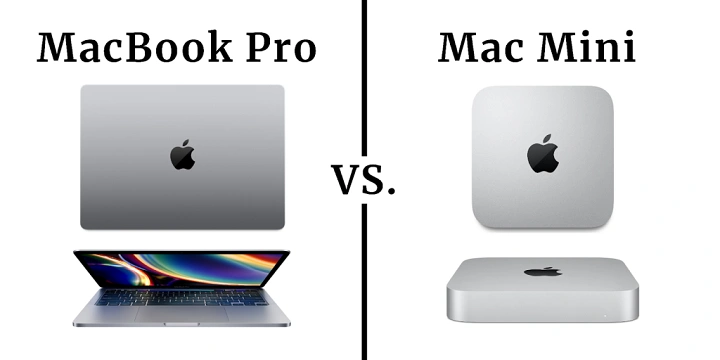
In the ever-evolving world of technology, Apple stands as a prominent player, offering a range of products designed to cater to diverse needs and preferences. Among their lineup, the Mac Mini and MacBook Pro are two stalwarts that have garnered considerable attention from consumers and professionals alike. Both devices boast impressive capabilities, but when it comes to choosing between them, the decision can be daunting. In this comprehensive guide, we delve into the intricacies of the Mac Mini and MacBook Pro, dissecting their features, performance, and suitability for various tasks.
Understanding the Mac Mini
The Mac Mini, often dubbed as Apple’s compact powerhouse, is a desktop computer that packs a punch despite its diminutive size. Designed for users seeking a flexible and customizable computing experience, the Mac Mini offers versatility without compromising on performance.
Key Features of the Mac Mini
- Compact Form Factor: The Mac Mini’s sleek and compact design makes it an ideal choice for those with limited desk space or a preference for minimalist aesthetics.
- Powerful Performance: Equipped with the latest Apple silicon chips, the Mac Mini delivers impressive performance across a range of tasks, from everyday computing to intensive workloads such as video editing and 3D rendering.
- Connectivity Options: Despite its small footprint, the Mac Mini boasts an array of connectivity options, including Thunderbolt ports, USB-C, HDMI, and Ethernet, enabling users to connect various peripherals and accessories with ease.
- Customization Potential: One of the standout features of the Mac Mini is its customization potential. Users have the flexibility to upgrade components such as RAM and storage, allowing for future-proofing and tailored performance enhancements.
Exploring the MacBook Pro
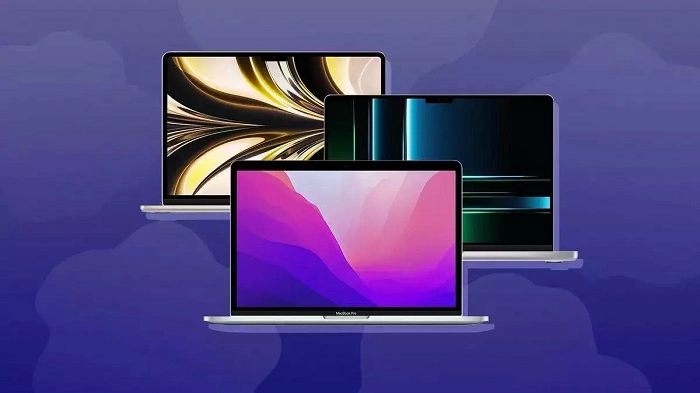
The MacBook Pro represents the pinnacle of Apple’s laptop lineup, renowned for its blend of power, portability, and premium design. Whether you’re a creative professional, a student, or a business executive, the MacBook Pro aims to cater to your computing needs with finesse.
Key Features of the MacBook Pro
- Retina Display: The MacBook Pro boasts a stunning Retina display with True Tone technology, delivering vibrant colors, sharp contrast, and true-to-life imagery. Whether you’re editing photos, watching movies, or browsing the web, the Retina display offers an immersive viewing experience.
- Enhanced Performance: Powered by high-performance processors and dedicated graphics cards, the MacBook Pro is capable of handling demanding tasks with ease. Whether you’re editing 4K video, compiling code, or running virtual machines, the MacBook Pro ensures smooth and responsive performance.
- Touch Bar and Touch ID: The Touch Bar, a dynamic strip of touch-sensitive controls located above the keyboard, provides quick access to shortcuts and functions relevant to the active application. Additionally, Touch ID allows for secure authentication and convenient unlocking with just a touch of your finger.
- Portability and Battery Life: Despite its formidable performance, the MacBook Pro remains remarkably portable, making it an ideal companion for users on the go. With all-day battery life, you can work, create, and collaborate without being tethered to a power outlet.
Comparing Performance and Use Cases
When comparing the performance of the Mac Mini and MacBook Pro, it’s essential to consider the specific use cases and requirements of individual users.
Performance Benchmarks
In terms of raw computing power, both the Mac Mini and MacBook Pro excel in their respective categories. However, the choice between the two ultimately depends on factors such as form factor, portability, and workflow preferences.
Graphic Design and Multimedia Production
For graphic designers, video editors, and multimedia professionals, the MacBook Pro’s combination of powerful hardware and portability makes it an attractive option. The Retina display provides accurate color reproduction, while the dedicated graphics card ensures smooth playback and rendering of high-resolution content.
Software Development and Productivity
For software developers and productivity enthusiasts, the Mac Mini’s expandability and customization options may hold greater appeal. With the ability to upgrade RAM and storage as needed, the Mac Mini offers scalability and flexibility for demanding workloads such as software development, data analysis, and virtualization.
Home Theater and Media Center
In the realm of home entertainment, the Mac Mini shines as a versatile media center, thanks to its compact form factor and robust connectivity options. Whether you’re streaming content, playing games, or hosting a movie night, the Mac Mini transforms your living room into a multimedia hub with ease.
Final Verdict: Choosing the Right Device
In the Mac Mini vs. MacBook Pro debate, there is no one-size-fits-all solution. Ultimately, the right choice depends on your specific needs, preferences, and budgetary considerations.
Factors to Consider
- Form Factor and Portability: If space-saving design and portability are paramount, the MacBook Pro may be the ideal choice. Its sleek and lightweight form factor makes it easy to carry around, whether you’re commuting to work or traveling abroad.
- Performance and Customization: If raw computing power and customization options are top priorities, the Mac Mini offers greater flexibility and scalability. With the ability to upgrade components such as RAM and storage, you can tailor the Mac Mini to suit your evolving needs and workload demands.
- Budget and Value for Money: When comparing prices, it’s essential to weigh the features and capabilities offered by each device against their respective price points. While the MacBook Pro may command a premium price tag, its portability, performance, and build quality justify the investment for many users.
In conclusion, the Mac Mini and MacBook Pro represent two distinct yet compelling solutions for users seeking reliable and versatile computing experiences. Whether you prioritize portability, performance, or customization, Apple’s lineup offers something for everyone. By carefully evaluating your needs and preferences, you can make an informed decision and choose the device that best aligns with your lifestyle and workflow requirements.
Optimizing Productivity: Harnessing the Power of macOS
Beyond their hardware capabilities, both the Mac Mini and MacBook Pro run on macOS, Apple’s proprietary operating system known for its intuitive interface, robust security features, and seamless integration with other Apple devices and services. Whether you’re a seasoned macOS user or transitioning from another platform, leveraging the full potential of macOS can enhance your productivity and streamline your workflow.
macOS: A Seamless Ecosystem
One of the standout features of macOS is its seamless integration with other Apple devices such as iPhone, iPad, and Apple Watch. With features like Continuity, Handoff, and AirDrop, you can effortlessly transition between devices, share content, and pick up where you left off without missing a beat. Whether you’re answering a phone call on your MacBook Pro, replying to a text message from your Mac Mini, or transferring files between devices, macOS ensures a cohesive and interconnected user experience.
Productivity Tools and Applications
From creative professionals to business users, macOS offers a plethora of productivity tools and applications designed to streamline tasks, boost efficiency, and unleash creativity. Whether you’re managing your schedule with Calendar, collaborating with colleagues in real-time with Pages and Keynote, or organizing your projects with Notes and Reminders, macOS provides a suite of powerful and intuitive applications to meet your needs.
Security and Privacy
In an era of increasing cybersecurity threats and privacy concerns, macOS stands out for its robust security features and commitment to protecting user data. With technologies such as Gatekeeper, FileVault, and Safari’s Intelligent Tracking Prevention, macOS ensures a secure and private computing experience, safeguarding your personal information and sensitive data from unauthorized access and malicious attacks.
Accessibility and Inclusivity
Another hallmark of macOS is its commitment to accessibility and inclusivity, ensuring that users of all abilities can fully participate in the digital world. With features like VoiceOver, Magnifier, and Siri, macOS empowers users with disabilities to navigate the interface, interact with applications, and access information with ease. Additionally, macOS offers a range of customization options, allowing users to tailor their computing experience to suit their individual needs and preferences.
Continuous Innovation and Updates
As with all Apple products, macOS receives regular updates and enhancements, bringing new features, improvements, and security patches to users worldwide. Whether it’s a major release introducing groundbreaking technologies like macOS Monterey or a minor update addressing performance optimizations and bug fixes, macOS ensures that your Mac Mini or MacBook Pro remains up-to-date, secure, and capable of meeting the demands of today’s digital world.
Maximizing Your Mac Experience
In conclusion, the Mac Mini and MacBook Pro represent more than just hardware—they embody the essence of macOS, Apple’s powerful and versatile operating system designed to empower users and unleash creativity. Whether you’re a creative professional pushing the boundaries of innovation, a business user striving for productivity and efficiency, or a casual user seeking a seamless and intuitive computing experience, macOS offers the tools, features, and ecosystem to help you succeed.
By harnessing the power of macOS and choosing the right Mac Mini or MacBook Pro to suit your needs, you can unlock new levels of productivity, creativity, and connectivity. Whether you’re editing videos, designing graphics, writing code, or simply browsing the web, your Mac Mini or MacBook Pro is more than just a device—it’s a gateway to a world of endless possibilities.